3
PRODUCT OPERATION:
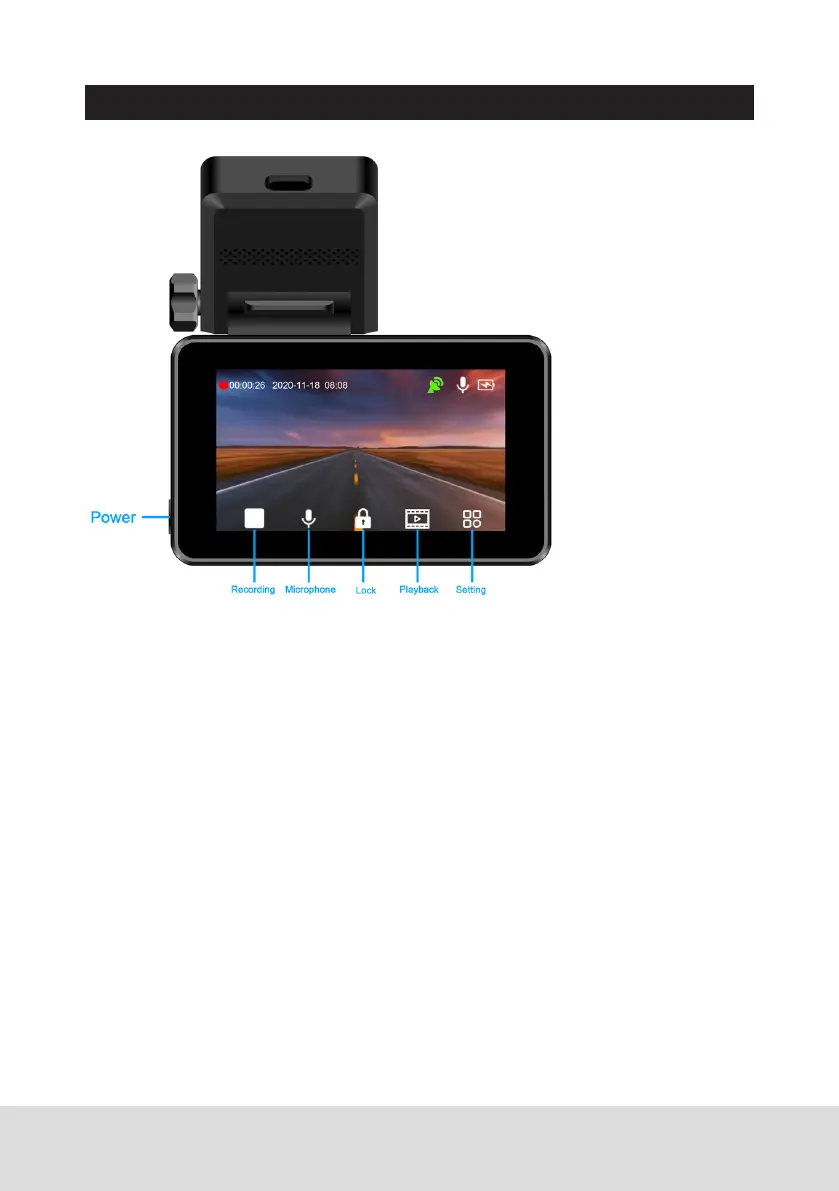
1. Power
When the unit is off, long press [power]button to start the unit, and the
dash camera will start to work automatically. When the unit is on, long
press [power] button to turn it off; short press [Power] to enter into the
setting interface.
2. Recording
Function 1: Turn on/off recording function
Press [recording] icon to start recording, and press [recording] icon again
to stop recording.
Function 2: Take a photo
In video mode, slide your finger from left to right in the blank area of the
screen to take photos.
3. Microphone
Press [microphone] icon to turn on /off the video audio.
4. Lock
In the recording mode, if you want to protect the current video from being
overwritten, activate the emergency lock function by press [lock] icon.
At this time, a yellow scroll bar will appear at the bottom of the screen,
saving current recording as a special video, which will not be overwritten.



 To Next Page