Doc# E107754 V.1.03 QS - 8
Nexus® 1252 Meter Quickstart
Electro Industries/GaugeTech
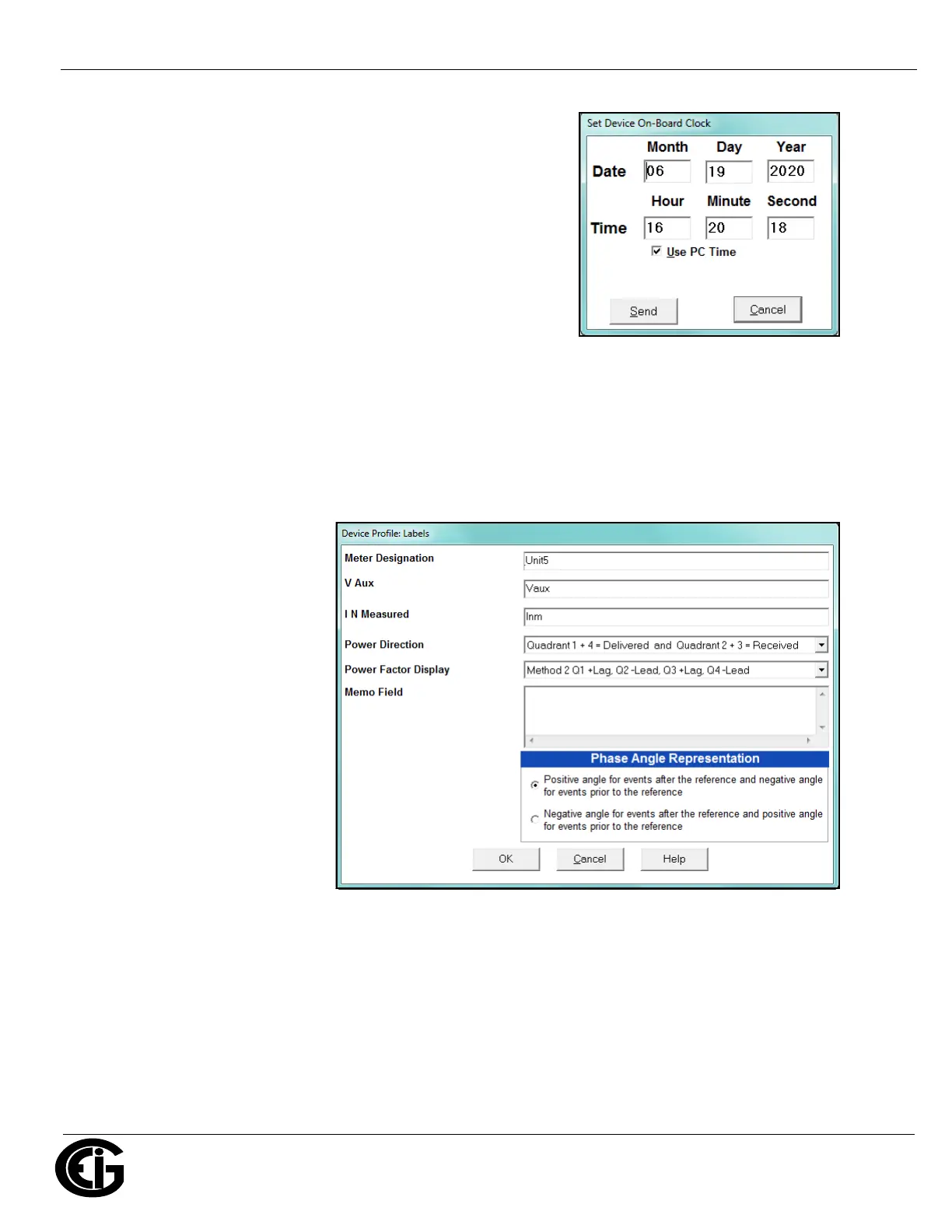
Program Meter Time:.
The meter is preset to Eastern time. To change the meter time:
1. From the Main screen’s Title bar, click Tools>Set Device Time.
2. You can either enter the time in the Time fields, or click Use
PC Time to set the time using your PC’s time.
3. Click Send.
NOTE: The meter offers multiple Time Synchronization methods. See Chapter 13, Section 13.1.3 in the
software manual (you can click Help>Contents from the Main screen to open the manual) for instruc-
tions on setting up Time Sync for the meter.
Program Meter Name:
The meter’s name is used in database files and report titles. To enter a unique name for the meter:
1. From the Device Profile
screen, double-click
General Settings>Labels.
2. Enter a name for the meter
in the Meter Designation
field.
3. Click OK.
IMPORTANT! When you have made changes to the meter’s Device Profile, click Update Device at the
bottom of the Device Profile screen, to send the new settings to the meter. The meter will reboot and
then you can reconnect to it. If you changed the IP address, make sure to use the new address in the
Network Connect screen.
Nexus® is a registered trademark of Electro Industries/GaugeTech. CommunicatorPQA
TM
, MeterManagerPQA
TM
, and Ener-
gyPQA.com
TM
are trademarks of Electro Industries/GaugeTech.
https://electroind.com/



 To Previous Page