Nexus® 1500+ Meter Quickstart Guide
Doc# E154714 V.1.07 Q-2
Mechanical Installation
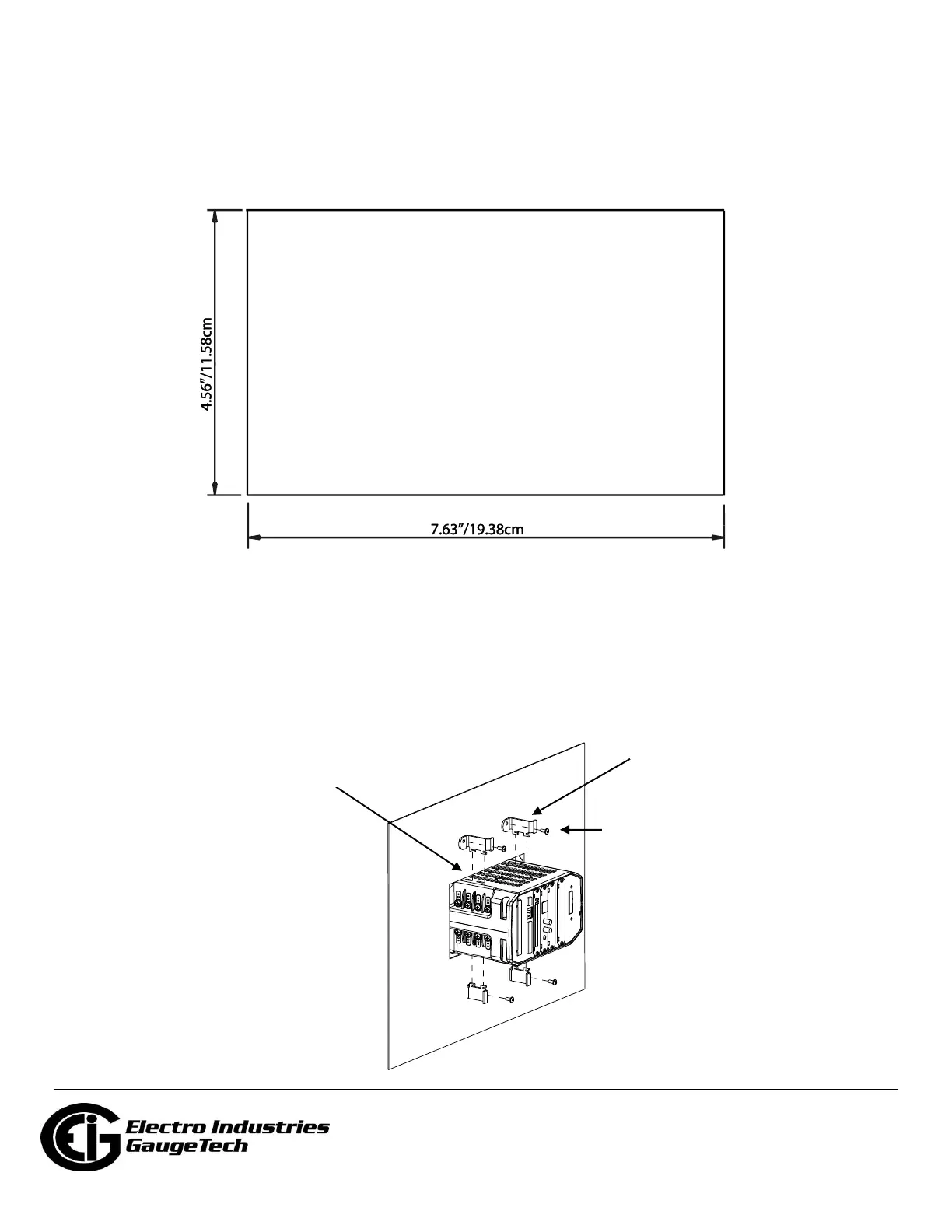
1. Slide the meter into the panel’s cut-out. (See the diagram shown below. You can use either an
octagonal or a rectangular cut-out.)
NOTE: You can also mount the meter vertically.
2. From the back of the panel, slide the 4 Mounting Brackets into the grooves on the top and bottom of
the meter housing - 2 fit on the top and 2 fit on the bottom.
3. Snap the Mounting Brackets into place.
4. Secure the meter to the panel with a lock washer and a #8 screw in each of the 4 mounting brackets.
5. Tighten the screws with a #2 Philips screwdriver. Do not over-tighten - maximum torque is 3.5 Lb-In.



 To Next Page