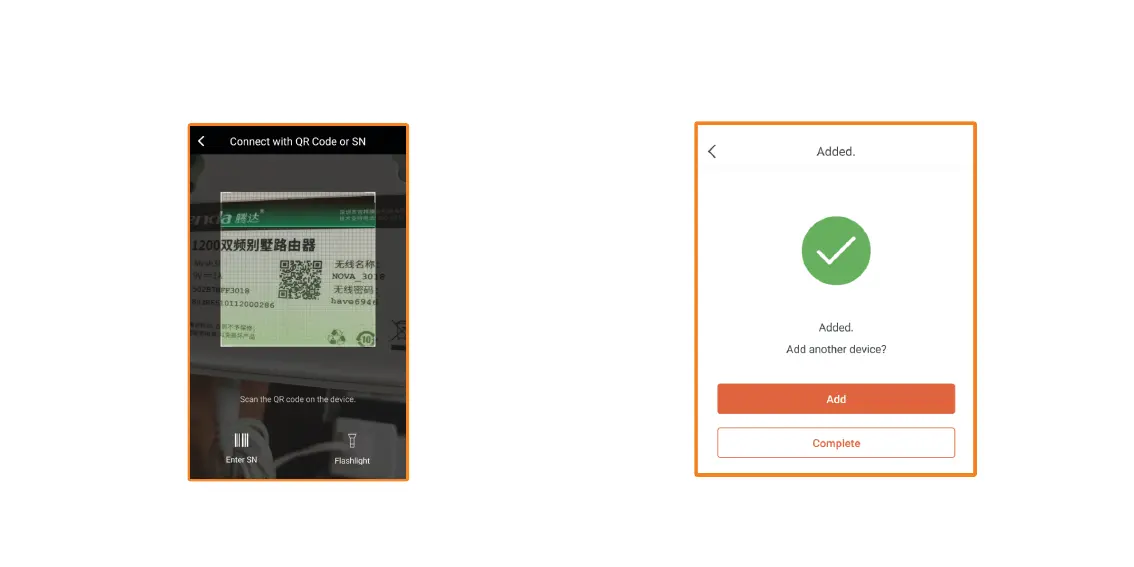
3. The QR Code scanner will come up, you will need to scan the QR
code on the bottom of the node. It will automatically add it to your
Vektor System.
4. Once complete, it will say it has been Added. If you wish to add
another, tap on Add, otherwise tap on Complete to go back to the
Main Menu. You can add up to 6 nodes.


 To Next Page