How to add a user/device to the Blacklist.
1. If a user/device is added to the Blacklist, they will not be able to
connect to your Vektor Mesh.
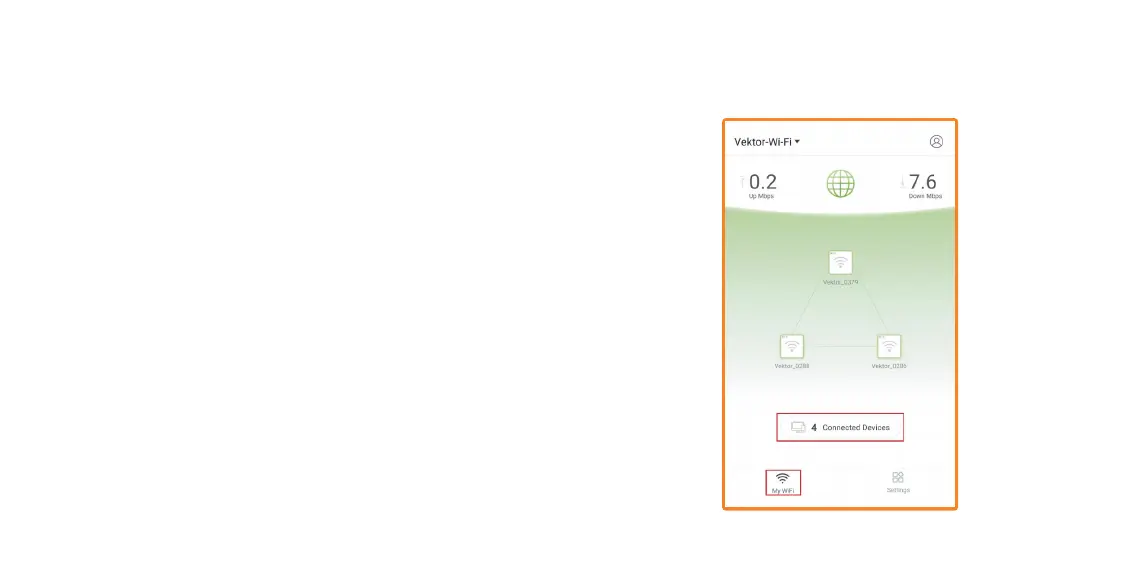
2. Open Nexxt Wireless app. You should be on the main My WiFi
page, tap on Connected Devices.
Node settings – Tap on any node to get to Node settings
· Device location – Choose a preexisting location or go to Custom to
enter a custom name.
Connected devices – Tap on Connected devices to get to Connected
Devices settings. Tap on a Connected device.
· Name devices – You can rename each device.
· Add group – You can create and add to a group.
· Details – Describes each Device information.
· LED indicator – Notifies you of the connection status.
· More information – Describes each node information.
Add to Blacklist


 To Next Page