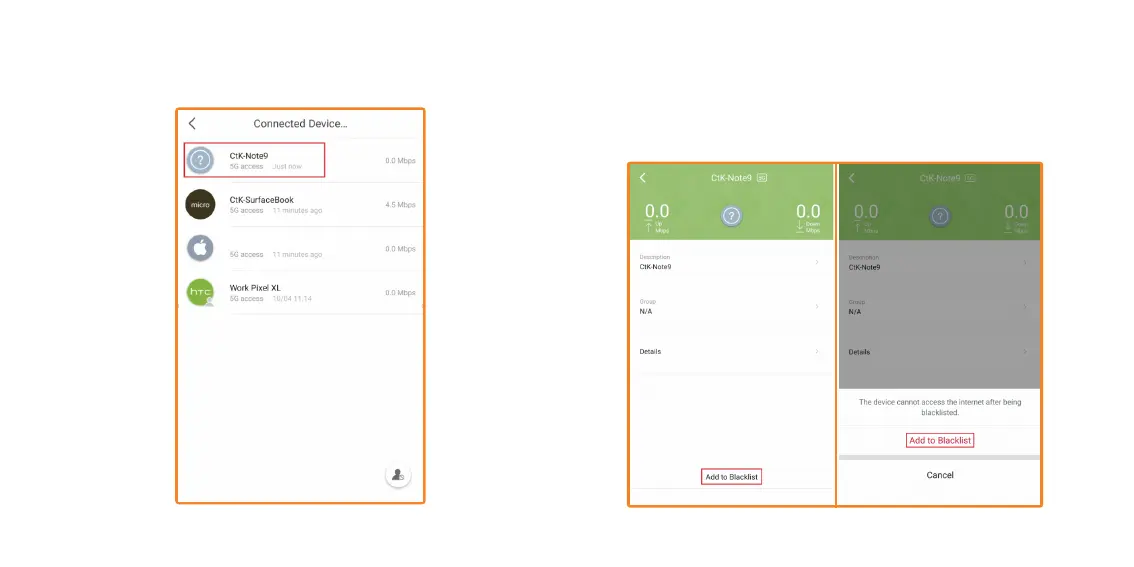
3. Tap on the device, you wish to add to the Blacklist. For this example,
we will be blocking “CtK-Note9”.
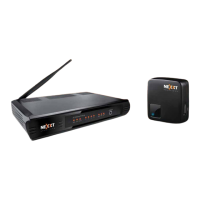
4. Tap on Add to blacklist, a confirmation popup will come up. If you are
sure you do not want this device to access the Vektor Mesh. Then
tap on Add to Blacklist. When you go back to the Connected devices
list, “CtK-Note9” should no longer be on that list.
Apple Phone


 To Next Page