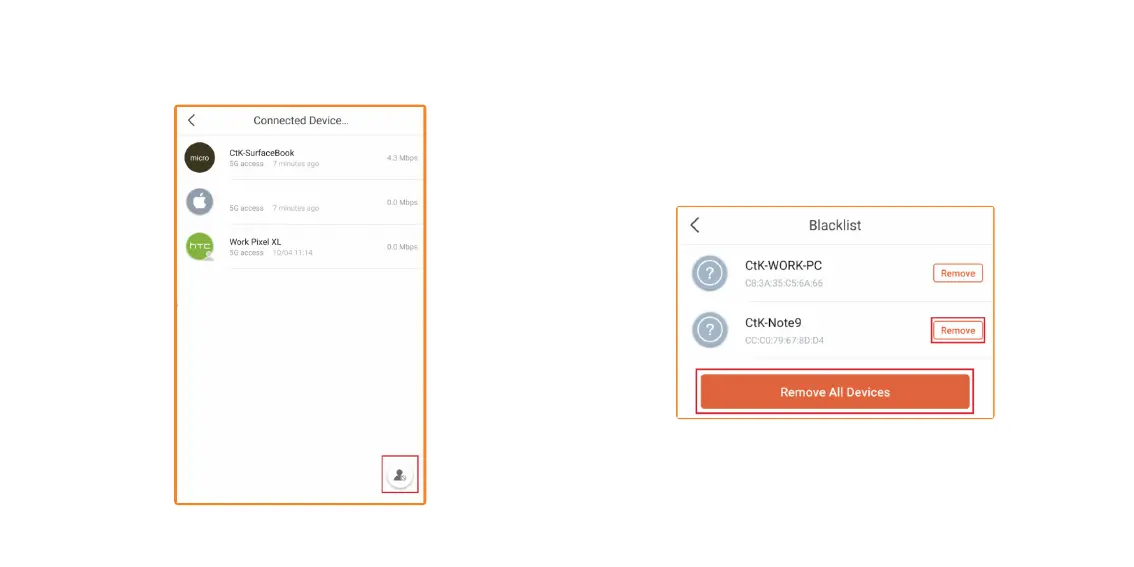
5. To see all users/devices that are on the Blacklist, tap on the lower
right-hand corner Blacklist icon.
6. On this screen, you can Remove the device, or Remove All Devices.
Just tap on Remove, next to the device you wish to remove from the
Blacklist or Remove All Devices to remove them all.
Apple Phone


 To Next Page