Guest network - Use Guest network to allow guests to get online and
share a password via various options.
How to enable Guest network.
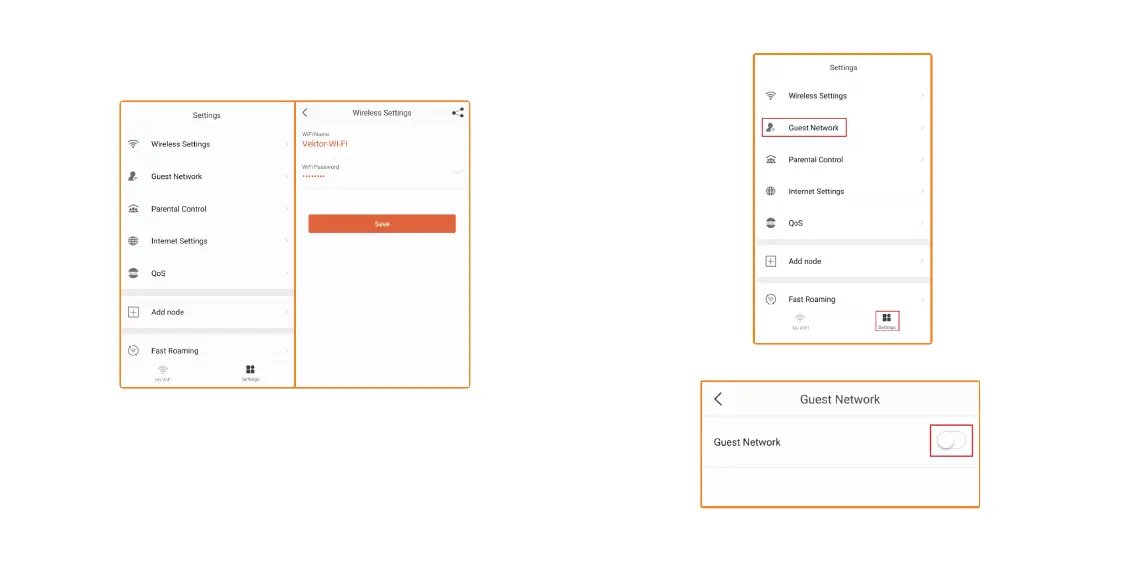
1. Open Nexxt Wireless app. Tap on Settings. Then tap on Guest Network.
2. Tap on the switch to enable the Guest network.
Settings
Wireless settings – View or change your Wi-Fi name and password.


 To Next Page