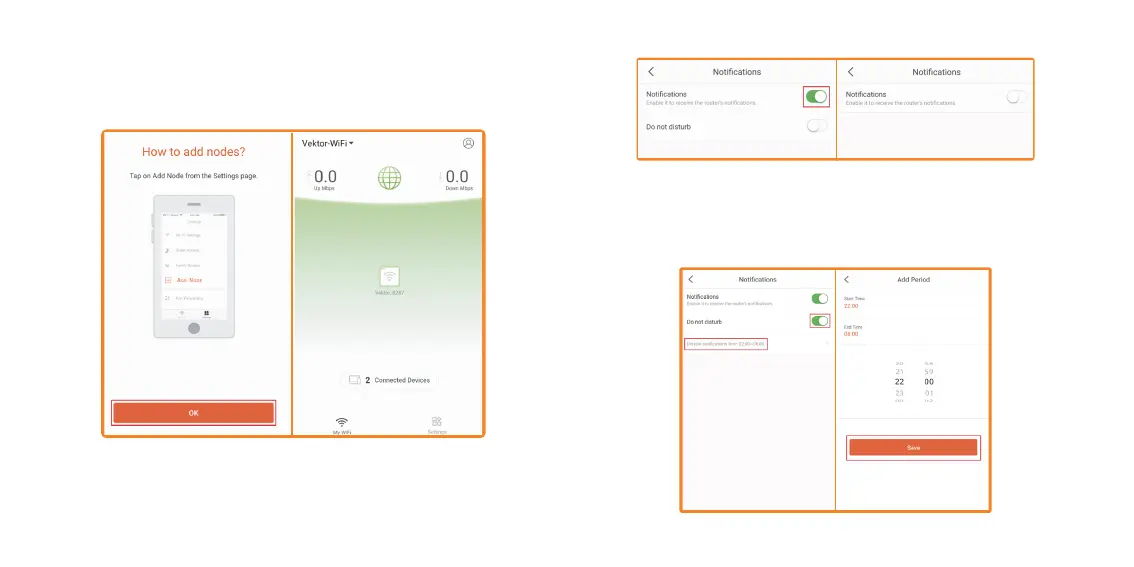
1. Tap on My Profile icon on the upper right-hand corner. Then tap on
Notifications.
2. By default, Notification is enabled. If you wish to disable it, tap on the
switch to turn it off.
3. Do not disturb: To use the Do not disturb feature, tap on the switch
to turn it on. You can set the time to which you want the Do not
disturb to turn on and off. For this example, we will use the default
time 22:00 to 08:00. So, between those hours, you will not get
notifications. Tap on Save.
Notifications


 To Next Page