POWER (Power ON-OFF Button)
This button is used to turn the meter ON or OFF. In Order to extend the battery life, an Auto Power
OFF function is provided. If no key-inputs happen around 30 minutes, the meter will be turned off
automatically. To turn the meter on again, just push this button once.
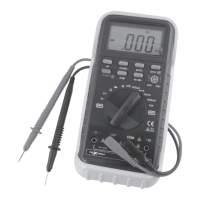
ROTARY SWITCH
This switch is used to select functions.
INPUT JACKS
This meter has four input jacks that are protected against overload to the limits. During use, connect
the black test lead to the COM jack and the red test lead as shown below:
-9-


 To Next Page