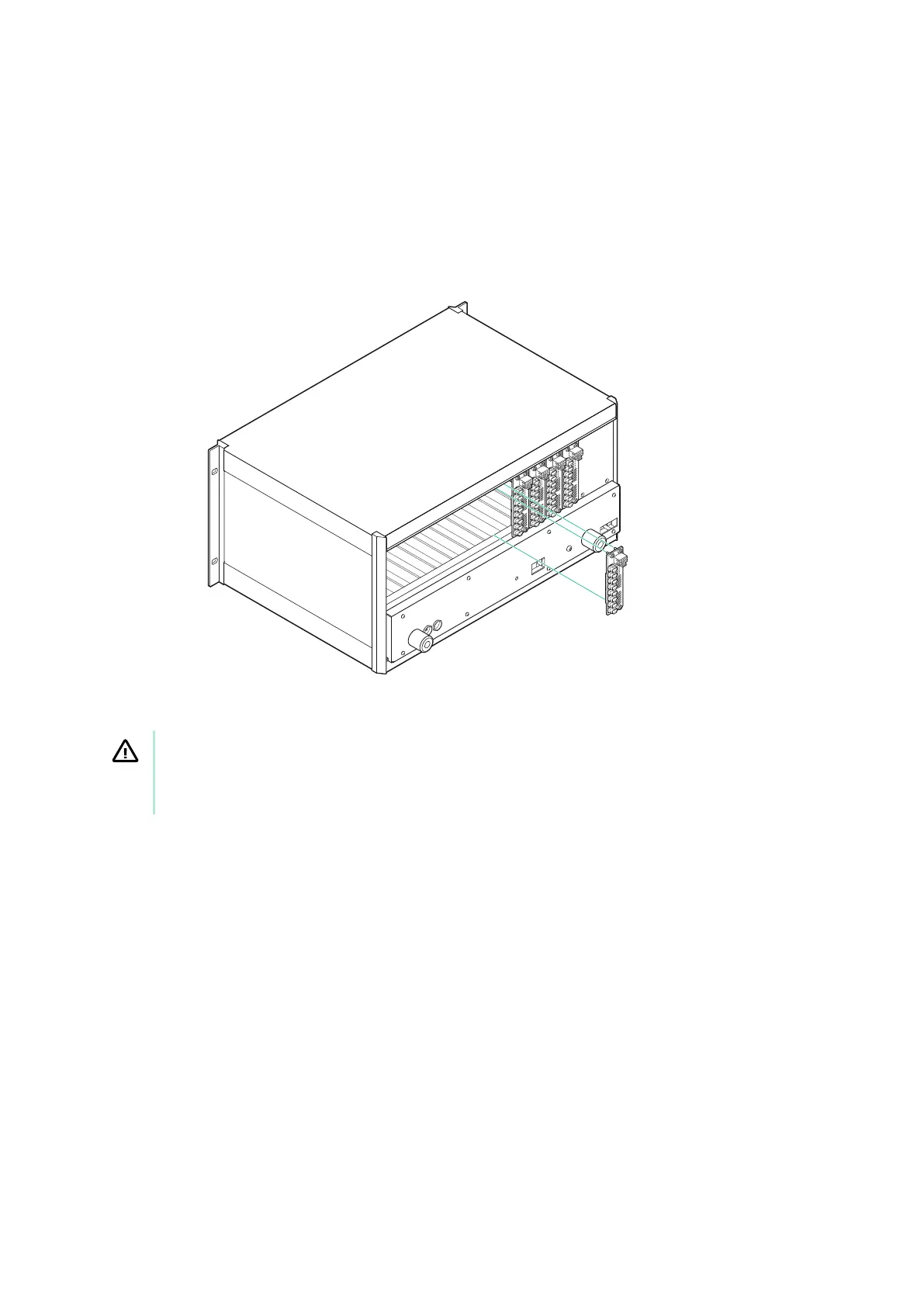
Installing the RTI-12309
Figure 1 : Ins
talling the RTI-12309 into the SLSC chassis
CAUTION
Do not touch the c
ontacts or remove the I/O boards or cables while the system is
energized.
Complete the following steps to install the RTI-12309 in the chassis.
1. Power o the main DC power source or disconnect it from the chassis before
installing any RTIs.
2. Ensure that the chassis is powered o.
The POWER LED should be o. If it is not o, do not proceed until it is o.
3. Loosen the screws of the upper rear panel of the chassis.
4. Position the RTI-12309 at the desired slot and insert the securing screws, but do not
fully tighten them.
© National Instruments Corporation 3
RTI-12309 Getting Started


 To Next Page