The microSD card is used to store backups. Backups, once generated, are encrypted with a system
passphrase that is stored in the controller. You must re-enter this same passphrase to restore a backup
from the microSD card, using a serial connecon to the unit’s Debug port.
Prerequisites: You are working in a stac-free area and have discharged any stac from your body.
Otherwise, equipment damage is likely to occur.
Perform the following steps:
1. If the unit is currently running, shut it down and unmount it from any DIN rail or screw-tab
mounng.
For the shutdown procedure refer to “Iniang a controller shutdown.” Accessing the card uses
the space behind the mounng base.
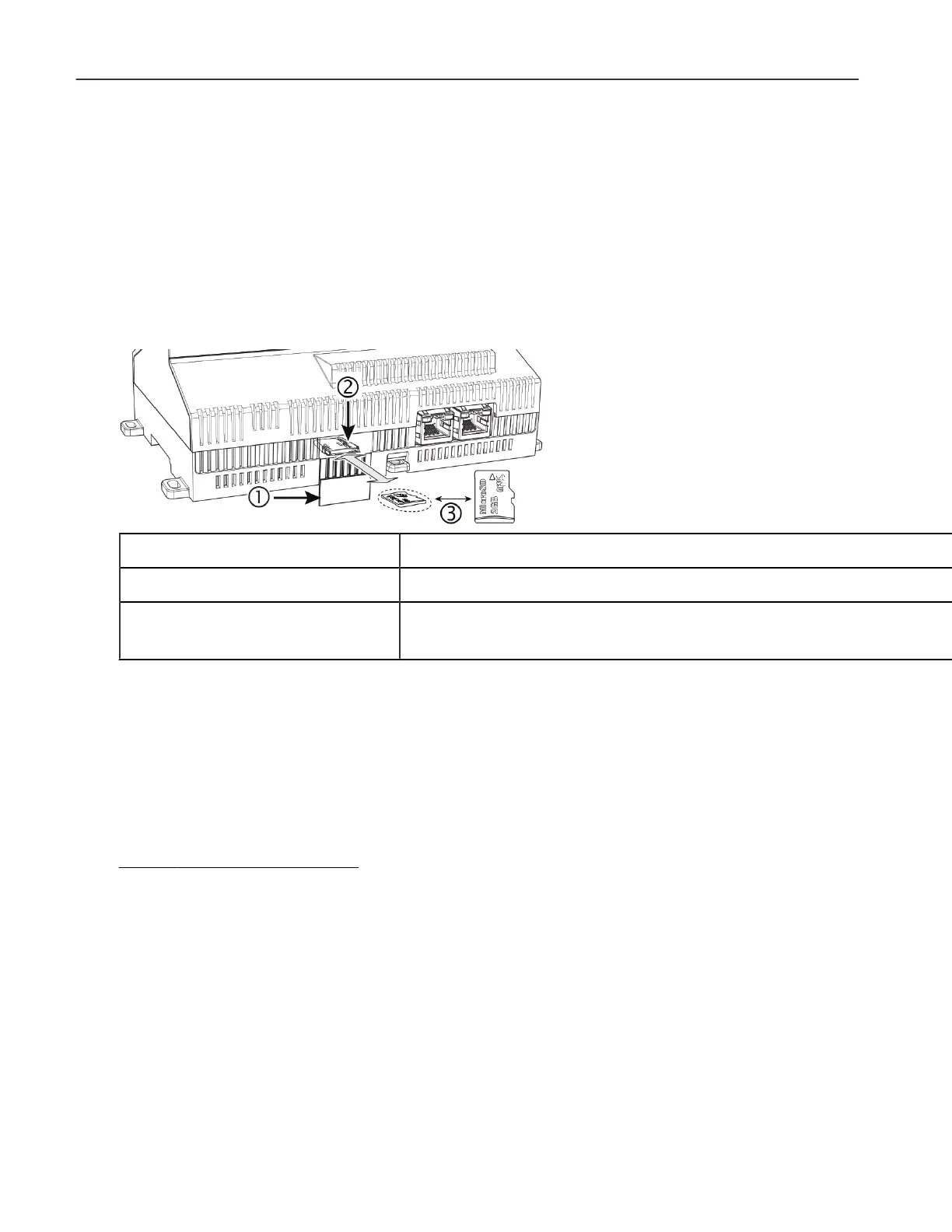
1 Access shuer for microSD card (slide to open or close)
2 Card carrier inside controller
3 microSD card to insert or remove from card carrier
Typically, the microSD card never needs removal. However, in the case where a controller has been electrically damaged or found to be faulty, you can remove the card and install it in another like unit, so it can become a funconal replacement.
2. To open the plasc shuer, carefully slide it open.
The shuer should remain capve in the base, revealing the microSD card socket.
3. To insert the microSD card, slide it into card carrier, label side up, unl the spring catch engages.
If properly inserted, the card is behind the shuer track.
4. To remove the microSD card, push it in unl the spring release pushes it parally out of the card
carrier, grasp the card, pull it completely out of the unit and store it in a stac free protecve case.
5. Carefully slide the card shuer back over the card carrier opening unl it clicks in place.
When properly closed, the shuer should not protrude behind the mounng base.
Related Links
• General informaon (Parent Topic)
8
General informaon


 To Next Page