English – 19
EN
Table 2 - available "Wind" thresholds
2 2 ashes 40 kph
3 3 ashes 60 kph
4 4 ashes 80 kph
5 5 ashes 100 kph
7 - DIAGNOSTICS
You can enable “DIAGNOSTICS mode” at any time to
check whether the weather conditions at the time are
above or below the threshold values and to identify
malfunctions. To enable diagnostics:
1. Press and hold the
Button or Button for
around 3 to 5 seconds, release when the LED starts
flashing orange.
2. Now watch the LED and check the sequence of
flashes against Table 3.
Caution! – Diagnostics mode can only be used for
reading signals off the LED, not for operating the awn-
ing.
Note – To check whether the device is really faulty, run
the testing procedures given in chapter 5.
Note – If more than one weather condition is detected,
the LED will signal them in order: wind > rain > sun.
Table 3 - LED diagnostics signals
1
6 alternate Red/Green ashes = No thresh-
olds have been exceeded
2
3 Red ashes = The wind threshold has been
exceeded
3
3 Orange ashes = The rain has been de-
tected
4
3 Green ashes = The sun threshold has
been exceeded
8 - RESTORING FACTORY DEFAULTS (FIG. F)
The reset procedure will restore default values of
thresholds:
1. Press and hold the
Button and Button for 9
to 11 seconds, release when the LED starts flash-
ing red.
2. The LED:
- turns RED for 10 seconds;
- turns OFF for 10 seconds;
- ashes GREEN 1 time to conrm reset.
9 - BATTERY PROTECTION
To protect the battery the WSC sensor will enter the
sleep mode, when battery level is too low. The LED
signals low battery level with three short red ashes.
The unit may enter sleep mode if mounted in a location
that does not receive sufcient exposure to light. When
the unit is in sleep mode, it does not control automa-
tion.
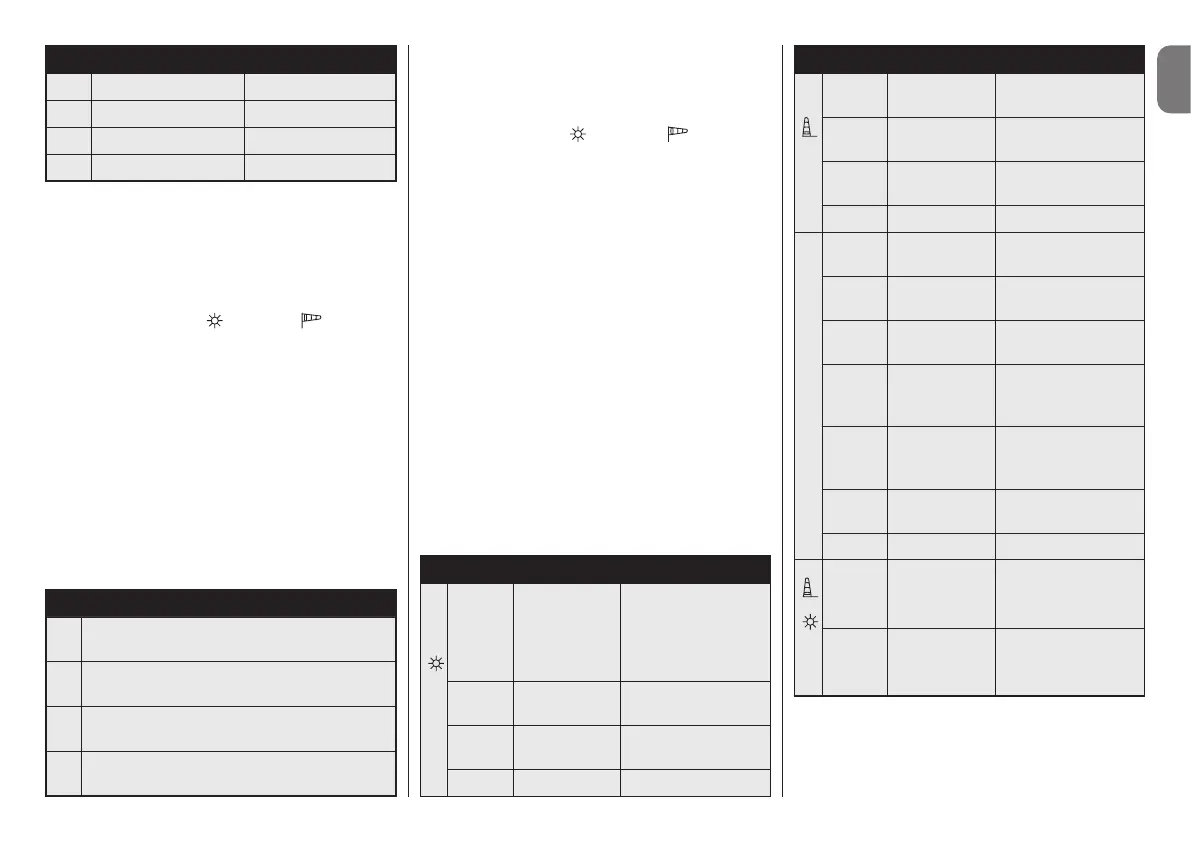
10 - OPERATING THE MENU
Time LED Action
Button
<1s
(click)
green
blink normal
Sunlight Level
Threshold
(number of blinks
show the set level
threshold)
2-4s
green
blink normal
Sunlight test
4-6s
orange
blink normal
Diagnostic proce-
dure
>6s led off Menu end
Time LED Action
Button
<1s
(click)
red
blink normal
Wind Level Thresh-
old
2-4s
red
blink normal
Wind test
4-6s
orange
blink normal
Diagnostic proce-
dure
>6s led off Menu end
Button B
2-4s red on
Memorising MONO
(see 4.1)
4-6s green on
Memorising BIDI
(see 4.3)
6-8s orange on
Memorising BIDI
(see 4.2)
8-10s green on
Memorisation
through the
“Enable Code”
20-26s
(WSC)
red
blink normal
Enter ship mode or
software update
20-26s
red
blink normal
Enter software
update
>26s led off Menu end
Button +
2-4s
(WSR)
orange
blink normal
Rain test
9-11s
red
blink normal
Device factory reset


 To Next Page
 Loading...