11
Wi-Fi Conguration
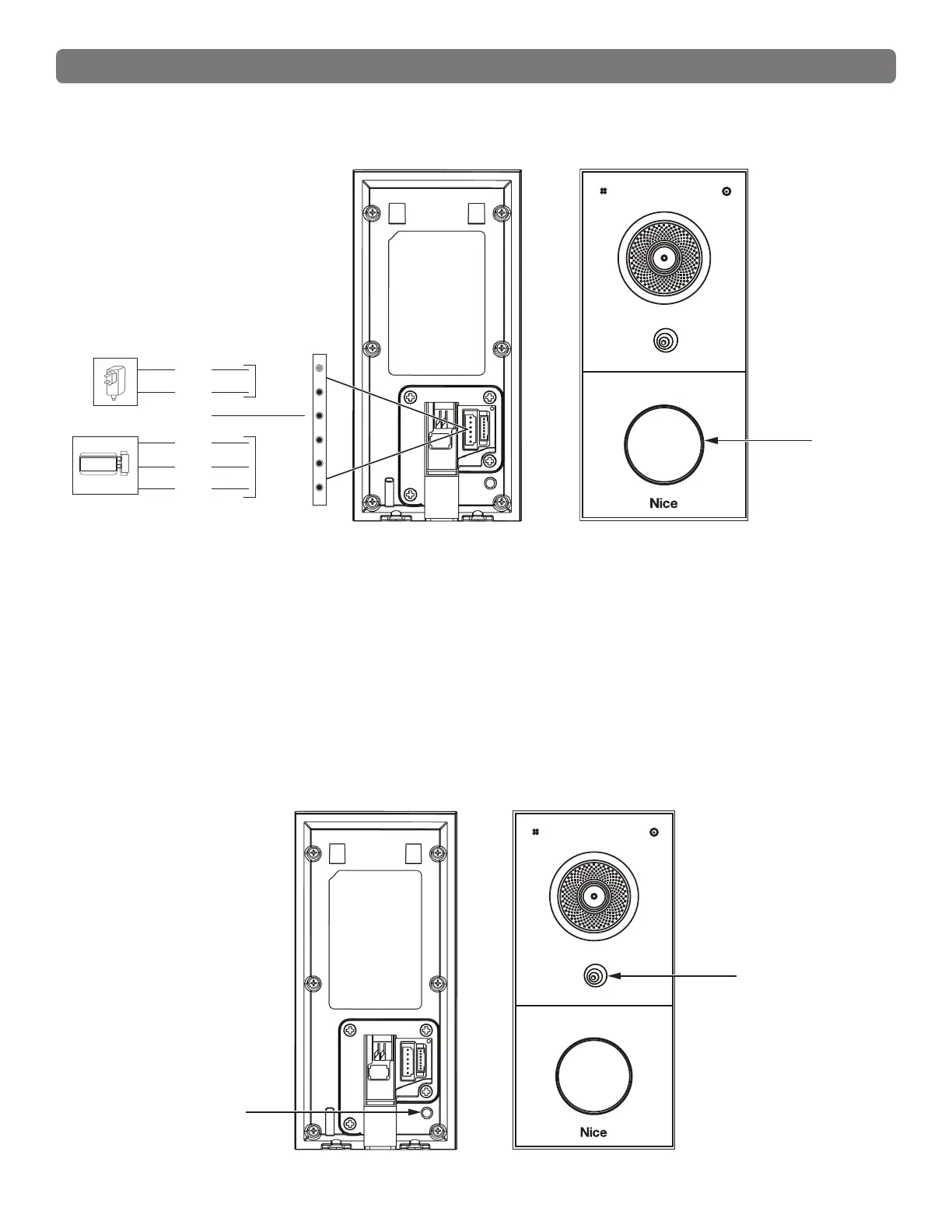
1. Power the device on with the 12V/1A power supply, and wait until the device Call button light
turns RED ashing light and an audible tone is heard.
12V
GND
COM
GND
X
Power
Input
Red in
Color
Relay
Output
NC
Blue in
Color
Tamper-proof
button
2. Press the Tamper-proof button three times to enter the Wi-Fi scanning mode, indicated by the
BLUE ashing light. Wait until the BLUE light stops ashing.
3. When the device is nished Wi-Fi scanning and has entered Network Pre-conguaration mode.
Network Pre-conguration mode remains active for 20 seconds before it expires.
4. Device network naming will be “NiceDB-xxxx”, where “xxxx” represents the last four digits of the
device’s unique MAC address.


 To Next Page