13
Blue
Purple
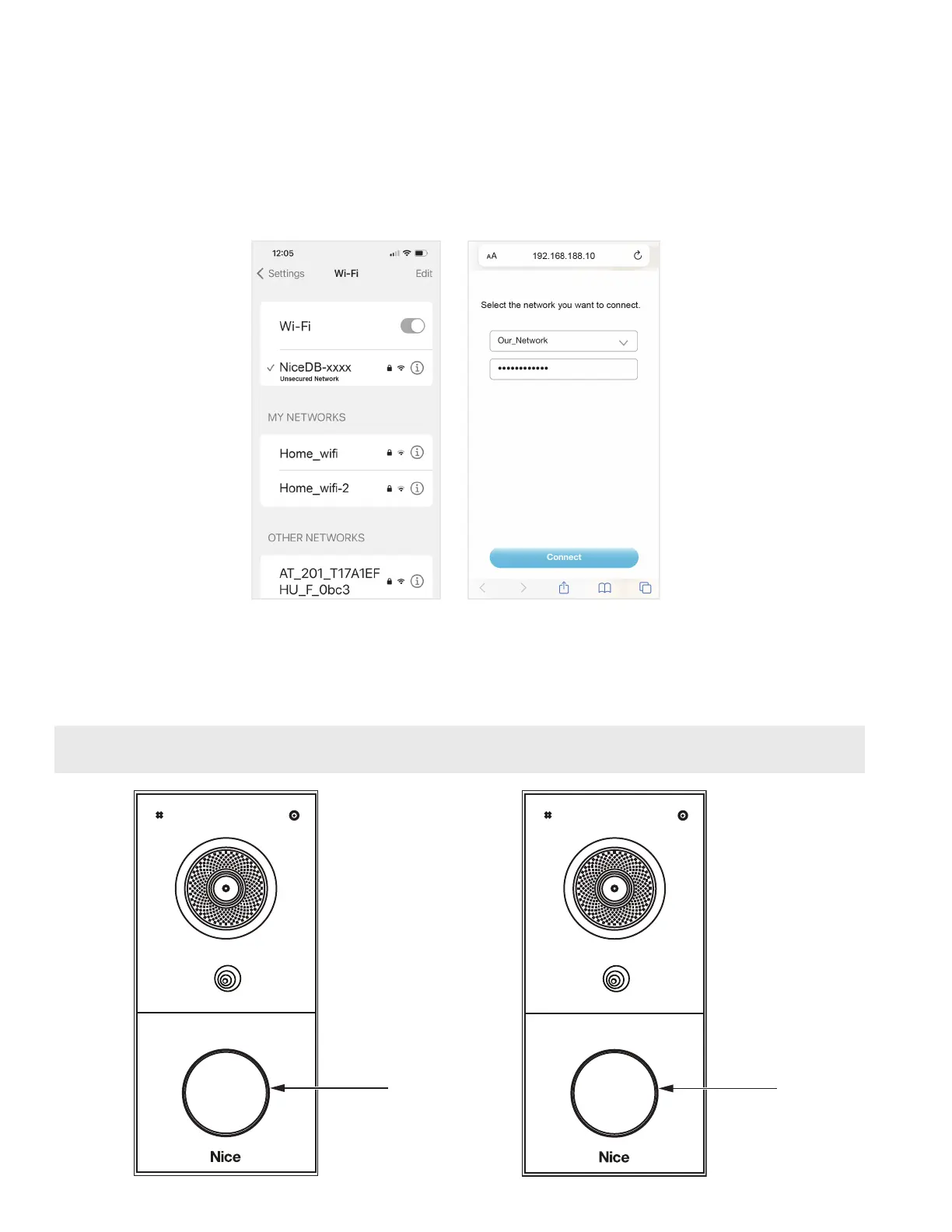
10. After your mobile phone is connected to the hotspot successfully, your mobile phone will
automatically open the browser and enter the Wi-Fi Conguration page. You can also type the
hotspot IP address 192.168.188.10 on the mobile phone's browser to enter the conguration
page.
11. Select the Wi-Fi network in which you want to connect, and enter the corresponding Wi-Fi
password.
12. Tap Connect button.
13. During the connection process, the Call button BLUE light keeps ashing. If successfully
connected to the Wi-Fi, the Call button BLUE light will remain on and you’ll hear a prompt
sound. If the connection failed, you’ll see a PURPLE ashing light.
14. If no connection is made, repeat Step 1.
NOTE: In this step, if a problem occurs (such as having entered the incorrect password), you can
press Tamper-proof button three times to proceed from Step 1.


 To Next Page