EasyManua.ls Logo

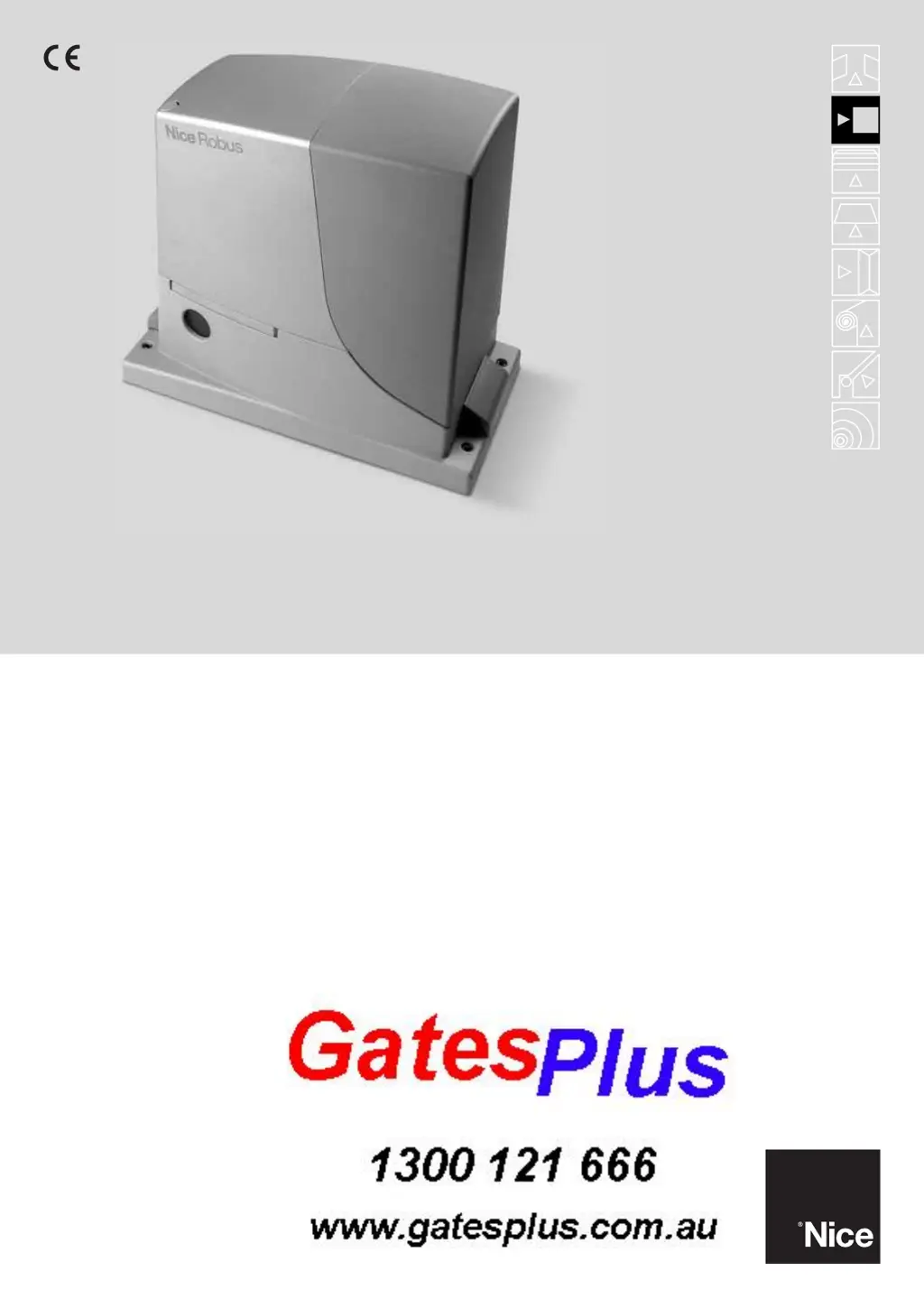
Nice ROAD 400 - User Manual

Nice ROAD 400
26 pages
Print Icon
To Next Page IconTo Next Page
Loading...
Instructions and warnings for the fitter
For sliding gates
Robus 400

Other manuals for Nice ROAD 400

Questions and Answers

  • J
    James ScottAug 13, 2025
    What to do if there is a serious malfunction on the Nice ROAD 400 Gate Opener control unit?
    • M
      martinerinAug 13, 2025
      Try turning off the control unit for a few seconds. If the problem persists, it indicates a malfunction, and the electronic board needs replacement.
  • B
    Brian JohnstonAug 17, 2025
    What to do if my Nice ROAD 400 control unit malfunctions?
    • B
      benjamin94Aug 17, 2025
      Ensure that the power supply is present. Check the fuses to see if they are blown. If necessary, find out why they failed and replace them with fuses that have the same characteristics.
  • M
    Maria HardingAug 21, 2025
    What to do if my Nice ROAD 400 isn't starting and the flashing light is off?
    • S
      Samuel JacksonAug 21, 2025
      Ensure that your Road400 Nice Gate Opener is receiving power from a 230V mains supply.
  • V
    Victoria MayAug 25, 2025
    What to do if my Nice ROAD 400 radio transmitter doesn't control the gate, but the LED lights up?
    • C
      Christina OliverAug 25, 2025
      Verify that the transmitter has been correctly memorized within the radio receiver.
  • S
    Suzanne FlynnAug 28, 2025
    What to do if my Nice ROAD 400 Gate Opener radio transmitter doesn't control the gate and the LED doesn't light up?
    • J
      Jennifer LeonardAug 28, 2025
      Check if the transmitter batteries are exhausted. If they are, replace them.
  • P
    Patricia WeissSep 1, 2025
    What to do if my Nice ROAD 400 Gate Opener isn't starting and the flashing light flashes a few times?
    • D
      derek46Sep 1, 2025
      Inspect fuses F1 and F2. If they are blown, determine the cause of the failure before replacing them with fuses that have the same current rating and characteristics.
  • J
    Jennifer CrosbySep 4, 2025
    What to do if my Nice Gate Opener isn't starting and the OK LED does not flash?
    • K
      Kristina GreenSep 4, 2025
      Check the correct emission of the transmitter radio signals with the following empirical test: push the button and rest the LED against the aerial of a normal household radio (ideally inexpensive) that is switched on and tuned in at 108.5 Mhz FM or as close as possible; a low sound should be heard with crackling pulses.
  • A
    Alexander ThompsonSep 8, 2025
    What to do if the photocells don't enable the Nice ROAD 400 Gate Opener manoeuvre at the start?
    • D
      Dillon RobbinsSep 8, 2025
      Check to see if there are any obstructions.

Summary

Safety Warnings and Compliance

European Legislation Compliance

Outlines compliance with Machine Directive and related standards.

Directive Specific Warnings

Warnings related to Machine, Low Voltage, and EMC directives.

Product Description and Applications

Operating Limits

Details operational limits for gate automation based on weight and length.

Typical System Overview

Illustrates a standard gate automation setup with component identification.

Cable List and Specifications

Lists required cables, their types, and maximum allowed lengths.

Installation Procedures

Preliminary Checks and Gearmotor Mounting

Essential pre-installation steps and guidance for mounting the gearmotor.

Mechanical Adjustments and Limit Switches

Procedures for rack alignment and limit switch bracket installation.

Electrical Connections and Device Integration

Steps for wiring the control unit and connecting system devices.

System Startup and Calibration

Final Checks and Startup Procedures

Verifying installation, setting direction, and initiating system operation.

Gate Movement Calibration and Verification

Calibrating gate length, checking movements, and radio receiver integration.

Testing, Commissioning, and Maintenance

System Testing and Commissioning

Comprehensive testing, final commissioning, and documentation requirements.

Routine Maintenance and Disposal

Guidelines for regular maintenance and product disposal.

Additional Information and Programming

Programming Keys and Overview

Explanation of the control unit keys and basic programming.

Level One Programming (ON-OFF Functions)

Configuring basic ON/OFF functions of the control unit.

Level Two Programming (Adjustable Parameters)

Adjusting various parameters on a scale with examples.

Device Management and Troubleshooting

Adding/removing devices, BlueBUS, STOP input, and fault diagnosis.

Special Functions and Diagnostics

Advanced functions, maintenance warnings, and signal interpretation.

Technical Specifications

User Manual: Operation and Care

Initial Usage and User Responsibilities

Guidance for first-time users, safe operation, and child safety.

Manual Operation and Battery Replacement

Procedures for manual gate control and replacing remote control batteries.

Nice ROAD 400 Specifications

General IconGeneral
Maximum Gate Weight400 kg
Protection RatingIP44
ModelROAD400
Opening Speed12 m/min
Power Supply230V AC
Closing Speed12 m/min
Safety FeaturesObstacle detection, Soft start and stop
Control TypeStep-by-step, Automatic with adjustable pause time

Related product manuals