EasyManua.ls Logo

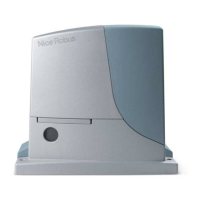
Nice ROX Series - User Manual

Nice ROX Series
24 pages
Print Icon
To Next Page IconTo Next Page
Loading...
EN - Instructions and warnings for installation and use
For sliding gates
ROX
ROX600
ROX1000
ROX1000/V1

Questions and Answers

  • B
    Beth OlsonAug 13, 2025
    How to troubleshoot a Nice ROX Gate Opener with the OK LED off?
    • P
      Patricia ScottAug 13, 2025
      If the OK LED is off on your Nice Gate Opener, first ensure there is a power supply. Check to see if the fuses are blown. If necessary, identify the reason for the failure and then replace them with others of the same type.
  • J
    josemanningAug 17, 2025
    Why is my Nice ROX Gate Opener not starting and the OK LED failing to flash?
    • J
      Jonathan GibsonAug 18, 2025
      If your Nice Gate Opener isn't starting and the OK LED isn't flashing, ensure the product is receiving 230V mains power. Also, check fuses F1 and F2 to see if they have blown. If necessary, identify the reason for the failure and replace the fuses with others that have the same current rating and specifications.
  • D
    Daniel PruittAug 21, 2025
    What to do if my Nice ROX Gate Opener radio transmitter does not control the gate, but the LED on the transmitter lights up?
    • M
      Michael BakerAug 21, 2025
      If the LED on your Nice Gate Opener transmitter lights up but doesn't control the gate, verify that the transmitter has been correctly memorized in the radio receiver. To check the transmitter radio signal, perform this test: press a key and rest the LED on the aerial of a radio (ideally an economical one) switched on and tuned to 108.5MHz FM; a slight crackling sound should be heard.
  • C
    cynthia34Aug 25, 2025
    What to do if my Nice ROX Gate Opener radio transmitter does not control the gate and the LED on the transmitter does not light up?
    • S
      Shannon DeleonAug 26, 2025
      If your Nice Gate Opener radio transmitter isn't controlling the gate and the LED on the transmitter isn't lighting up, check if the transmitter batteries are exhausted and replace them if necessary.
  • O
    oleeAug 28, 2025
    What to do if my Nice Gate Opener is not starting and the flasher is off?
    • C
      Christopher Mercer MDAug 29, 2025
      If your Nice Gate Opener isn't starting and the flasher is off, check that the command is actually received. If the command reaches the Step-by-Step input, the OK LED flashes twice to indicate the command has been received.
  • M
    Mr. Gary GrahamSep 1, 2025
    What does it mean if the OK LED is on for my Nice ROX Gate Opener?
    • D
      Danielle JensenSep 1, 2025
      If the OK LED is on for your Nice Gate Opener, it indicates a serious malfunction. Try switching off the control unit for a few seconds. If the condition persists, it means there is a malfunction and the circuit board has to be replaced.
  • C
    Clayton GloverSep 5, 2025
    What does it mean if the PHOTO LED is off on my Nice ROX?
    • D
      David TaylorSep 5, 2025
      If the PHOTO LED is off on your Nice Gate Opener, it means that at the start of the maneuver, one or more photocells are preventing movement. Check to see if there are any obstacles, and also check the NC connection for faults.
  • S
    Stacy LopezSep 8, 2025
    Why are the FCA and FCC LEDs off on my Nice ROX Gate Opener?
    • C
      Crystal ReyesSep 9, 2025
      If the FCA and FCC LEDs are off on your Nice Gate Opener, it indicates activation of the STOP input. Check the devices connected to the STOP input.

Summary

General Warnings Safety - Installation - Use

Installation Warnings

Safety guidelines for installing the gate automation system correctly.

3 Installation

4 Electrical Connections

5 Starting the Automation and Checking the Connections

5.1 - Hooking the automation up to the mains

Procedure for connecting the automation system to the main power supply.

6 Testing and Commissioning

6.1 - Testing

Procedures for testing the automation system's safety and functionality.

6.2 - Commissioning

Steps for final setup and handover of the automation system.

7 Programming

7.1.1 - Trimmer (TL - TP - F)

How to adjust operating time, pause time, and force parameters using trimmers.

10 What to Do If...

11 Maintenance

12 Technical Specifications

Nice ROX Series Specifications

General IconGeneral
BrandNice
ModelROX Series
CategoryGate Opener
LanguageEnglish

Related product manuals