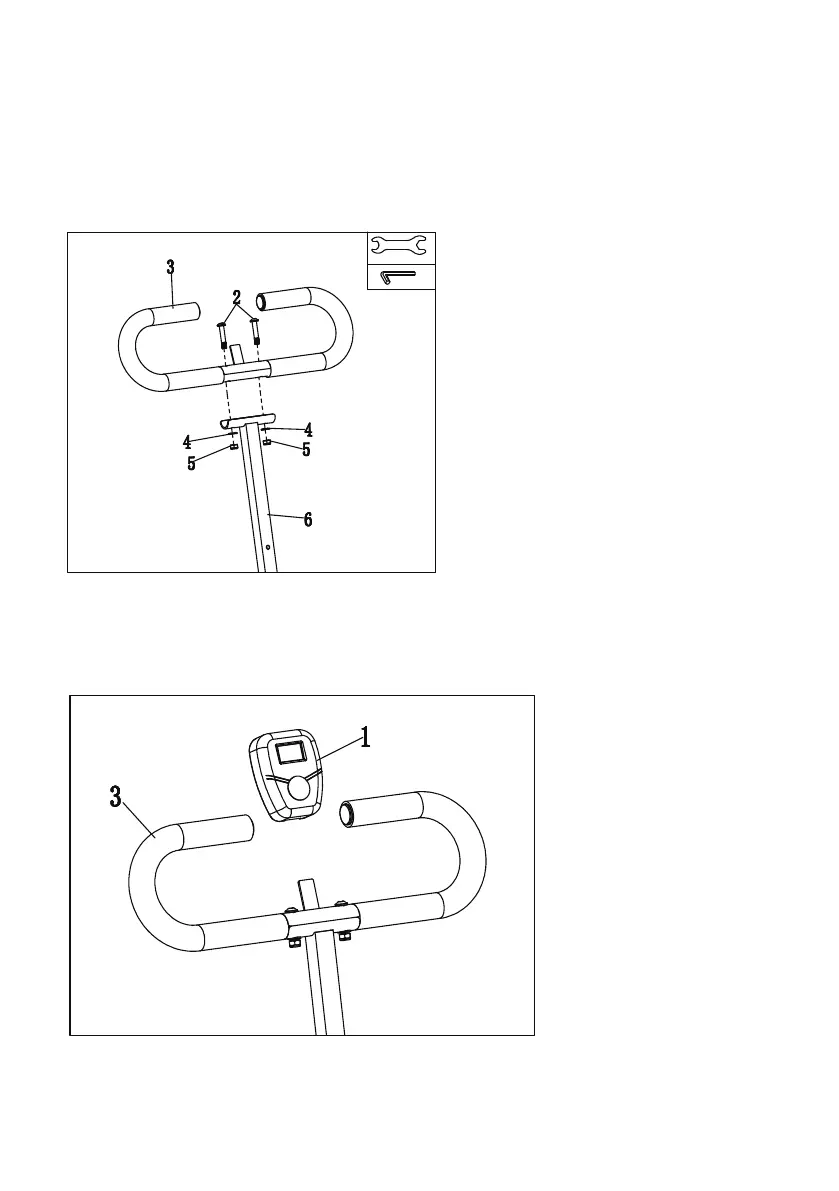
Take out the Screws (NO.2)*2, Nuts (NO.5)*2, Washers (NO.4)*2 from the toolkit. Align the holes of the
Handlebar (NO.3) and Handlebar Tube (NO.6) as shown in the figure, install them in turn, lock the Nut (NO.5),
and then use Allen Wrench (A) and Open-end Wrench (B) to lock the screws and nuts at the same time.
STEP 5
Install the Monitor (NO.1) into the monitor tab on the Handlebar (NO.3) tube as shown in the figure.
STEP 6
B
A
7


 To Next Page