19
Digitax SF Instruction Manual
Tuning
7
7. Tuning
2. Tuning Procedure
2. Tuning Procedure
N
Stage2
Y
Y
N
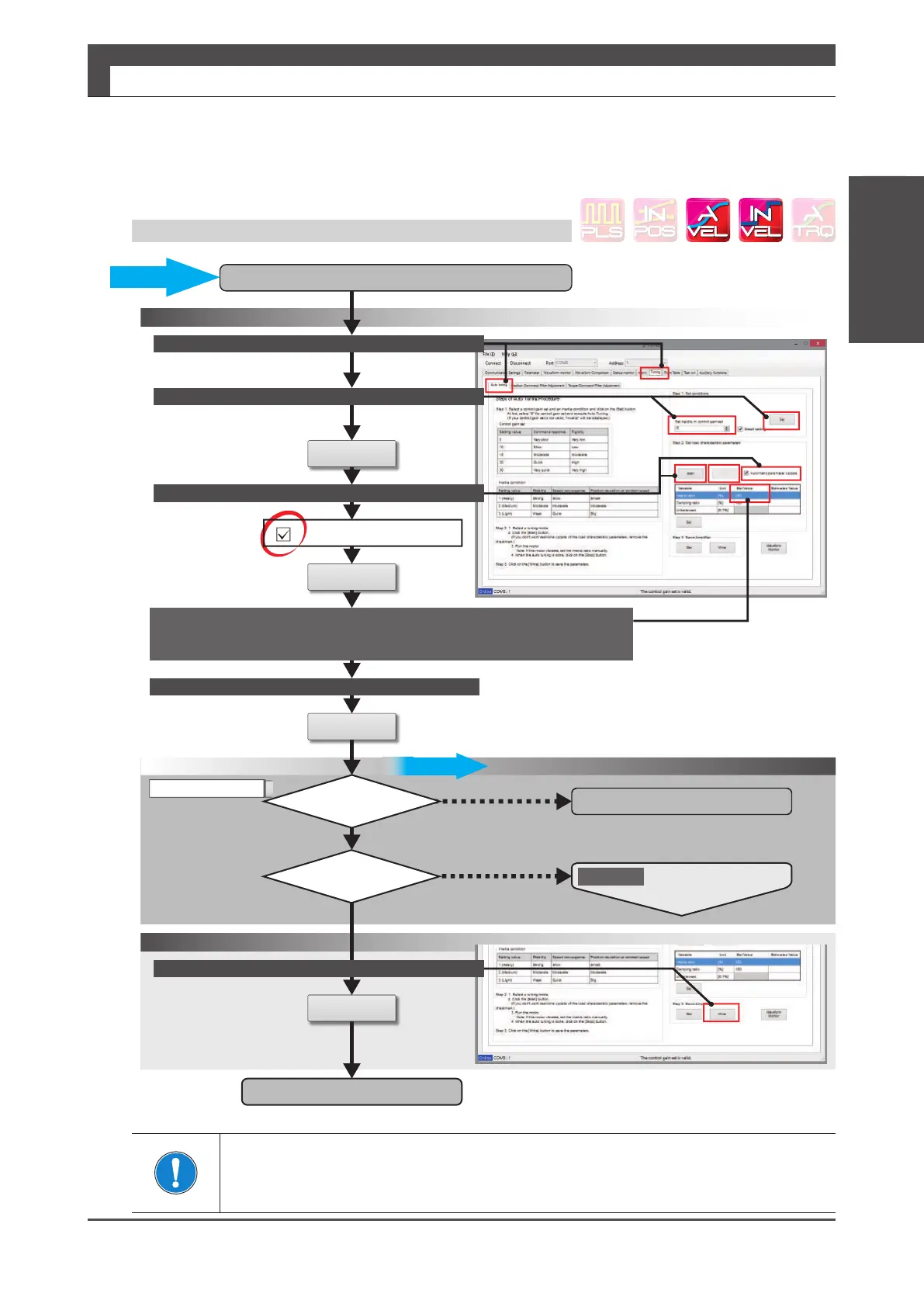
Finaltuning
Inertiaratioestimationbytheautotuning
Operation1B
SetControlGainSetto"5"
Click
StarttheAutotuning
SelecttheTuningtab
Confirm
Confirm
Set
Start
Operation2
Set
Writetothedrive
Automaticparameterupdate
Clickonthecheckbox.
StoptheAutotuning
Stop
Tuningcomplete
Acceptablemotion?
Isthemotorquiet?
Checkthemotormotionbytestoperationorexternalcommandinput.
Repeatthesystementiremotionseveraltimes.
Waitfortheinertiaratioestimatetoconverge.
Stop
Click
Click
Click
・Shortersettlingtime
・Betterresponsiveness
Startingtuningwithalowsetting
ofthecontrollergainsetwillenable
successfultuningwithnovibrations
and lownoise.
And/or
Visuallycheck
theactualmotion
:DYHIRUPPRQLWRU
Manuallyentertheinertiaratio.
Auto Tuning on Digitax SF Connect: Operation 1B
Make sure to click on [Stop] to nish Auto Tuning.
Starting Final Tuning Mode while Auto Tuning is still in process will make the tuning dicult
because of inertia ratio changes.






 To Next Page