EasyManua.ls Logo

Night Owl C20X Series - User Manual

Night Owl C20X Series
86 pages
Print Icon
To Next Page IconTo Next Page
Loading...
1
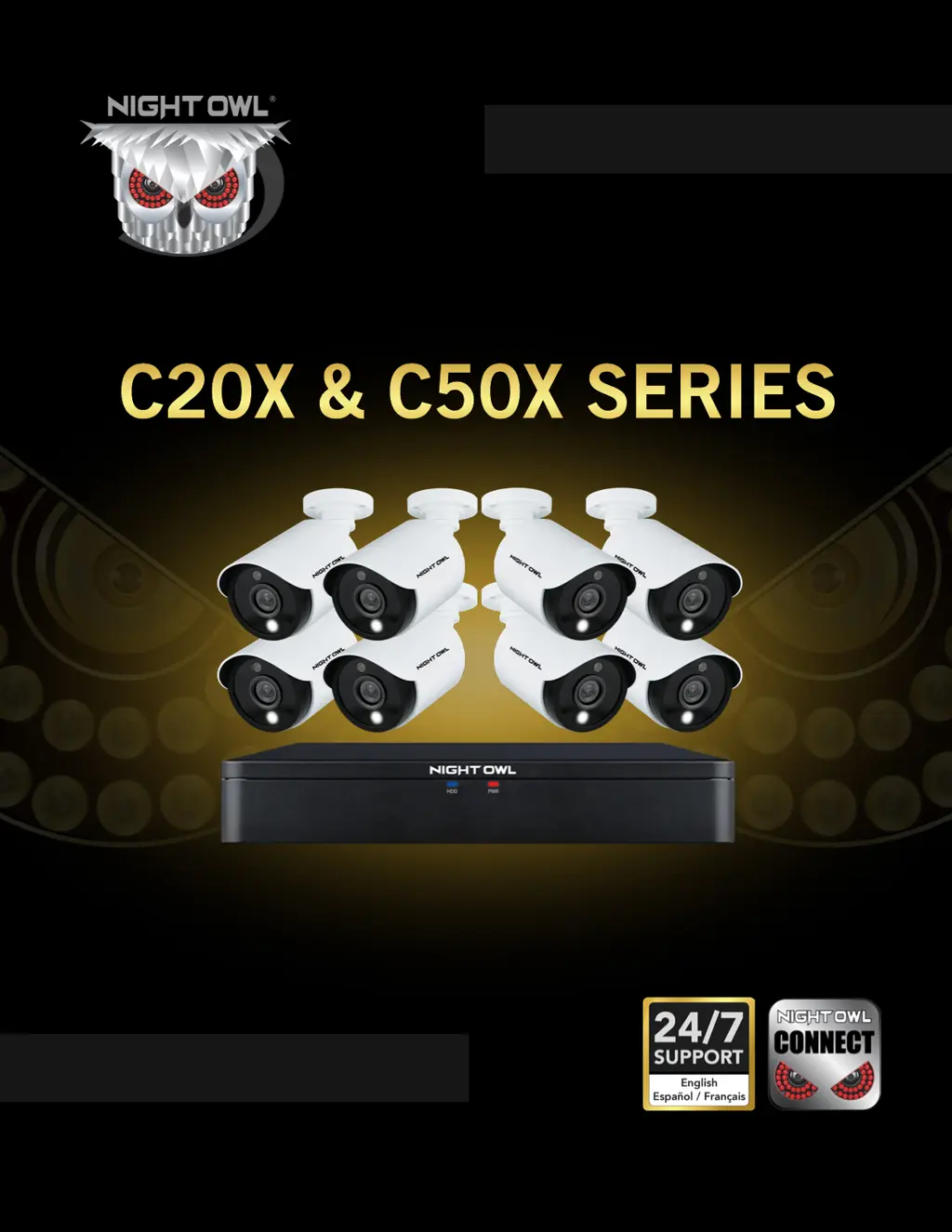
C20X & C50X SERIES
www.NightOwlSP.com
USER’S MANUAL

Questions and Answers

  • A
    Ariel HarveyJul 27, 2025
    How to turn off beeping on Night Owl Security Camera?
    • A
      Anne LucasJul 27, 2025
      If your Night Owl Security Camera system beeps during motion detection, it's likely because the alarm buzzer is activated. To disable it, go to Right-Click Menu > Main Menu > Cameras > Motion, select the Channel, and uncheck the Buzzer checkbox.
  • A
    alanhowardJul 31, 2025
    What to do if Night Owl C20X is not turning on?
    • M
      Mr. Jeff PhillipsJul 31, 2025
      If your Night Owl Security Camera system isn't powering on, check these potential causes: * Ensure all power adapter cables are correctly and securely connected, both to the camera and the power source. * If cables are connected but the system is not receiving power, make sure the system is powered ON (LED indicators should be ON). If connected to a power bar or surge protector, try connecting directly to the wall outlet. Confirm the outlet has power by testing with another device, such as a phone charger, or try another outlet.
  • D
    Dana JacobsonAug 4, 2025
    How to fix Night Owl Security Camera when there is no picture?
    • D
      Diana TaylorAug 4, 2025
      If there is no picture being displayed on selected channels of your Night Owl Security Camera, the camera cables might be loose or disconnected. Check the camera video cable and its connections. Disconnect and then reconnect the cable at both the system and the camera. You might also want to try moving the camera to another channel or using a different cable to see if that resolves the issue.
  • W
    William ThompsonAug 9, 2025
    How to fix Night Owl Security Camera when hard drive is full?
    • D
      Dr. Jessica Newton DDSAug 9, 2025
      If the hard drive on your Night Owl Security Camera system is full and the unit has stopped recording, it might be because overwrite is not enabled. To resolve this, go to the Device Menu, then HDD, and make sure that Overwrite is set to Auto.
  • M
    Maria DavisAug 13, 2025
    Why is there no sound on my Night Owl C20X?
    • L
      Linda PittmanAug 13, 2025
      If the image on your Night Owl Security Camera DVR appears but there is no sound, here are a few things to check: * Ensure that the audio cables are securely connected to the DVR. * Verify that the audio channels are not disabled. You can left-click in Live View to access the Volume control and ensure the channels aren't muted or set too low. * If you are using external speakers, check that their volume is appropriately adjusted.
  • S
    Steven MillerAug 17, 2025
    What to do if Night Owl Security Camera mouse is not detected?
    • C
      christopher24Aug 17, 2025
      If your Night Owl Security Camera system is not detecting the mouse, ensure the mouse cable is firmly connected to the USB Mouse port on the front panel. If that doesn't work, power off the system by disconnecting the power cable, then firmly connect the USB mouse to the USB Mouse port on the front panel. Finally, reconnect the power cable to the DC 19V port on the rear panel.
  • A
    amayoAug 21, 2025
    Why does my Night Owl Security Camera make a whirring noise?
    • S
      susanhinesAug 21, 2025
      If you hear a whirring noise coming from your Night Owl Security Camera system, it simply means the exhaust fan is working normally.

Summary

Safety Precautions and Guidelines

General Safety Precautions

Lists important safety guidelines for operating the DVR.

Camera Installation Procedures

Video and Audio Cable Connections

Details how to connect cameras for video and audio signals.

Camera Power Configuration

Standard Camera Power Connection

Explains how to power the cameras using the power splitter.

Camera Mounting and Placement

DVR Initial Installation

Getting Started with Your DVR

The Startup Wizard Overview

Outlines the steps involved in the initial DVR setup wizard.

System Password Setup

Guides on setting up the admin password and recovery email.

Night Owl Connect App Setup

Information on downloading and setting up the Night Owl Connect App.

Using the Night Owl Connect App

Steps for downloading the app and creating a user account.

Adding Your DVR to the App

Explains Smart Auto Detection and QR Code Setup for adding devices.

App Login Procedure

How to enter credentials to log into the Night Owl Connect App.

Network Configuration Settings

DVR Network Settings Explained

Explains DHCP, Static IP, Web Port, IP Address, Subnet Mask, Gateway, and DNS.

Camera Settings Management

Motion Detection Settings

Setting up motion detection, human detection, sensitivity, and notification schedules.

Detection Area Configuration

How to set up specific areas for motion detection.

Recording Settings and Schedule

Setting Recording Schedules and Lengths

Configuring video length, pre-record time, and recording types.

Video Playback and Export Operations

Searching and Playing Recorded Video

How to search, select dates, and play back recorded video.

Exporting Recorded Video Clips

How to select and export recorded video segments.

Backup and Formatting Options

Explains backup, burn, and format functions for USB drives.

Device Management Features

Hard Drive (HDD) Status and Management

Checks HDD status, capacity, and allows formatting.

System Settings and Configuration

User Management and Permissions

Managing user accounts, groups, and their permissions.

Troubleshooting Common Issues

Power and Recording Problems Solutions

Solutions for system power issues and hard drive recording problems.

Video, Audio, and Noise Issue Resolution

Solutions for missing video or audio, and explanations for system noises.

User Information and Credentials

Recording DVR and Network Credentials

Space to record admin password, user password, and network login details.

Contact Information and Support Resources

Night Owl C20X Series Specifications

General IconGeneral
Motion DetectionYes
ConnectivityWi-Fi
Resolution1080p
Night VisionUp to 100 ft.
AudioTwo-way audio
Mobile AppNight Owl Protect
Indoor/OutdoorOutdoor
Camera TypeBullet
Power SourcePlug-in power adapter

Related product manuals