Need help?
Do you have a question about the Nightingale 6200D and is the answer not in the manual?
Oil moving parts sparingly once a year with light machine oil to prevent damage.
Clean ABLEX™™ Mesh with mild detergent and water using a damp cloth or sponge. Rinse gently.
Clean plastic parts with mild detergent and water. Avoid abrasives and excessive cleaner.
Wipe powder coat frames with a damp cloth and mild detergent for cleaning.
Adjust seat height using the paddle lever. Lower by turning up while seated, raise by turning up off seat.
Pull lever to unlock, slide seat to desired position, release lever to lock.
Turn paddle up to lock chair position; turn down for free movement.
Turn knob clockwise to increase tension, counter-clockwise to decrease.
Pull trigger to raise or lower arm height to desired position, release to lock.
Pull arm out to increase width, push in to decrease width.
Push button on pad to pivot arm. Release button to lock into position.
Push back button on pad to move arm pad forward or backward to desired position.
Press button to move lumbar to desired depth or raise/lower for position.
Lift headrest to desired position; it locks automatically. Lift to top to lower.
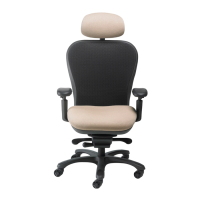
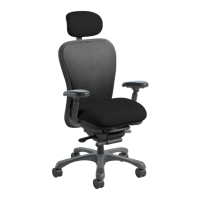
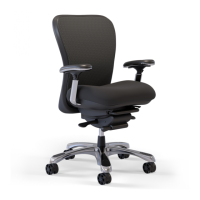
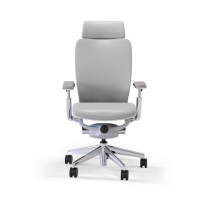
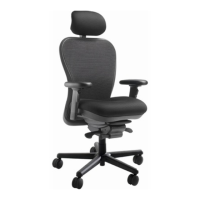
The Nightingale CXO™ is a high-quality office chair designed for superior performance, satisfaction, and user comfort. This user guide provides comprehensive instructions on how to use, adjust, and maintain the chair, ensuring its longevity and optimal functionality. The chair is also environmentally conscious, with 94% of its components being recyclable.
The Nightingale CXO™ is an ergonomic office chair that offers a wide range of adjustments to accommodate various body types and preferences, promoting a healthy and productive work environment. Its primary function is to provide comfortable and supportive seating for extended periods, reducing strain and fatigue. The chair's design focuses on adaptability, allowing users to customize their seating experience to achieve optimal posture and comfort.
The CXO™ chair boasts numerous adjustable features that cater to individual needs:
Pneumatic Height Adjustment (A): This feature allows users to easily adjust the chair's height. To lower the chair, the user turns the paddle up while seated. To raise the chair, the user turns the paddle up with their weight off the seat. This ensures that the user's feet can rest flat on the floor, or that their thighs are parallel to the floor, promoting good circulation and posture.
Seat Slider (B): The seat slider enables users to adjust the depth of the seat. By pulling the lever bar up to unlock, the user can move the seat to the desired position. Releasing the lever locks the seat into place. This adjustment is crucial for ensuring proper thigh support and preventing pressure on the back of the knees, accommodating users with different leg lengths.
Infinite Position Tilt Lock (C): This mechanism allows the user to lock the chair in any desired tilt position or enable free movement. To lock the chair, the user turns the paddle up. To allow free movement (rocking), the user turns the paddle down. This feature provides flexibility for users who prefer to recline or those who need to maintain an upright posture for focused work.
Tension Knob (D): The tension knob controls the resistance of the chair's tilt mechanism. Turning the knob clockwise increases tension, making the chair more difficult to recline, which is suitable for heavier users or those who prefer more support. Turning it counter-clockwise decreases tension, allowing for easier reclining, ideal for lighter users or those who prefer a more relaxed feel.
Arm Height Adjustment (E): The armrests can be adjusted vertically to support the user's arms and shoulders. To raise or lower the arm height, the user pulls the trigger up and moves the armrest to the desired position. Releasing the trigger locks the armrest into place. Proper armrest height helps reduce strain on the neck and shoulders, aligning the forearms parallel to the floor when typing.
Horizontal Arm Adjustment (F): This feature allows the user to adjust the width of the armrests. By pulling the arm out from the seat, the user can increase the width, providing more space. Pushing the arm in decreases the width. This adjustment ensures that the armrests are positioned comfortably, supporting the arms without forcing the shoulders inward or outward.
Arm Pivot Adjustment (G1): Located on the side of the arm pad, a front button allows the arm pad to pivot. Pushing the button in enables pivoting, and releasing it locks the arm pad into position. This feature provides flexibility for users to find the most comfortable angle for their forearms, especially when using a keyboard or mouse.
Arm Pad Front To Back Adjustment (G2): A back button on the side of the arm pad allows for front-to-back adjustment of the arm pad. Pushing the button in enables movement to the desired position, and releasing it locks the arm pad. This helps in positioning the armrests precisely to support the forearms and wrists, reducing strain during various tasks.
Horizontal Lumbar Adjustment (H): The lumbar support can be adjusted horizontally to provide optimal lower back support. Pressing the button down allows the user to move the lumbar to the desired depth, and releasing it locks into position. To raise the lumbar, the user lifts it to the desired position. To lower the lumbar, the user lifts it to the top position. This dynamic support helps maintain the natural curve of the spine, preventing discomfort and promoting good posture.
Ratchet Height Adjustable Headrest (I): Available only on the 6200D CXO version, the headrest can be adjusted vertically. Simply lifting the headrest to the desired position automatically locks it into place. To lower the headrest, the user lifts it to the top position. The headrest provides support for the head and neck, especially during recline, reducing strain and enhancing overall comfort.
To ensure the Nightingale CXO™ chair maintains its superior quality and performance for many years, regular care and maintenance are recommended:
Mechanism: The moving parts of the chair's mechanism should be oiled sparingly once a year with light machine oil. It is important to avoid over-lubrication to prevent dripping, which could damage surrounding surfaces. This routine lubrication ensures smooth operation and extends the lifespan of the mechanical components.
ABLEX™ Mesh: The ABLEX™ mesh material should be cleaned with a mild detergent and water. Apply the solution with a damp clean cloth or sponge. Rinse with water. It is crucial to never use hot water and avoid scrubbing, as this can damage the mesh. Gentle movements are recommended to preserve the integrity and appearance of the mesh.
Plastic Parts: Plastic components of the chair can be cleaned with mild detergent and water. Avoid using abrasives or excessive amounts of cleaner, which could scratch or damage the plastic surfaces.
Frame: The powder-coated frames can be cleaned by wiping them with a damp cloth and any mild detergent. This simple cleaning routine helps maintain the aesthetic appeal and protective finish of the frame.
The Nightingale CXO™ is designed with a lifetime limited warranty, underscoring the manufacturer's confidence in its durability and quality. The chair is also GREENGUARD Indoor Air Quality Certified, ensuring it meets stringent standards for low chemical emissions into indoor air, contributing to healthier indoor environments. Its 94% recyclability further highlights Nightingale's commitment to environmental sustainability.
 General
| Product Type | Electric Bed |
|---|---|
| Mattress Size | Twin XL |
| Frame Material | Steel |
| Adjustable Positions | Head |
| Wheel Type | Casters |

 To Next Page