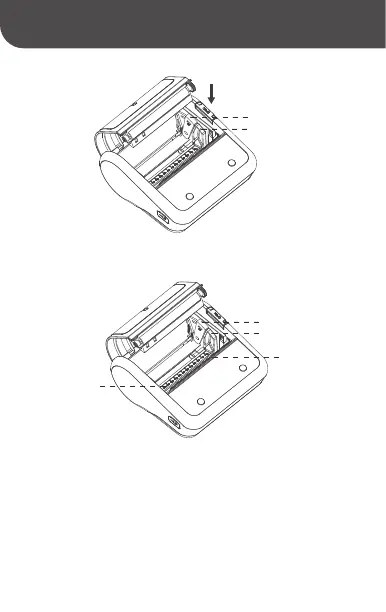
Step 3: Pull the rotating shaft to the "open" position as
indicated by the arrow.
Step 4: According to the width of the paper roll, slide the paper
case baffle to the corresponding paper case scale of the paper
roll, and pull the rotating shaft back towards the direction of
the paper cutter and lock it tightly.
Remarks: After the paper case scale has been adjusted, the
rotating shaft must be locked tightly to prevent printing going
out of alignment.
Paper case baffle
Rotating shaft
Paper case baffle
Paper cutter
Rotating shaft
Paper case scale



 To Next Page