07 · 08
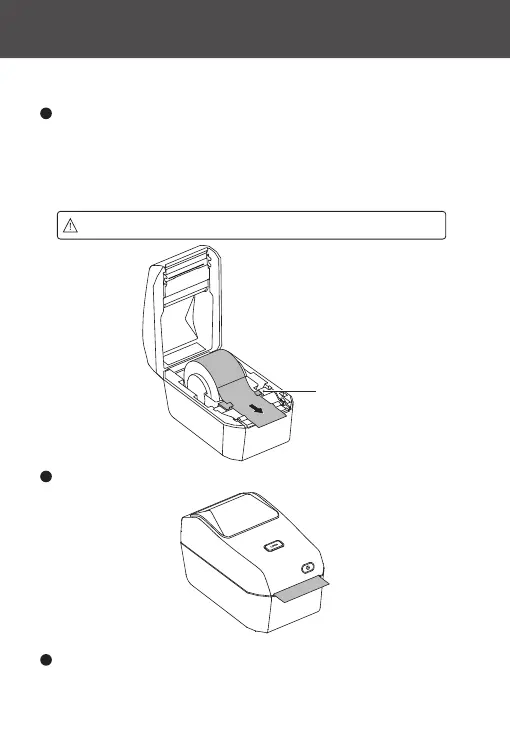
Attention: Do not place the label roll at the bottom of the paper compament.
Close the printer's paper compament cover, press it down, and listen for
a "click" sound, indicating that the paper compament cover is locked.
4
Open the label paper spool holder, adjust the label paper's orientation so
that the print side is facing up when passing through the print (drive) roller.
Use your hand to pull the label paper guide open, place the label roll on the
label paper spool holder, and release the guide to ensure the label roll can
rotate freely.
2
Thread the label paper through the label paper guide.
3
Label Paper Guide



 To Next Page