9
R2-D2™ Skype Web Cam
Lightsaber (USB Phone)
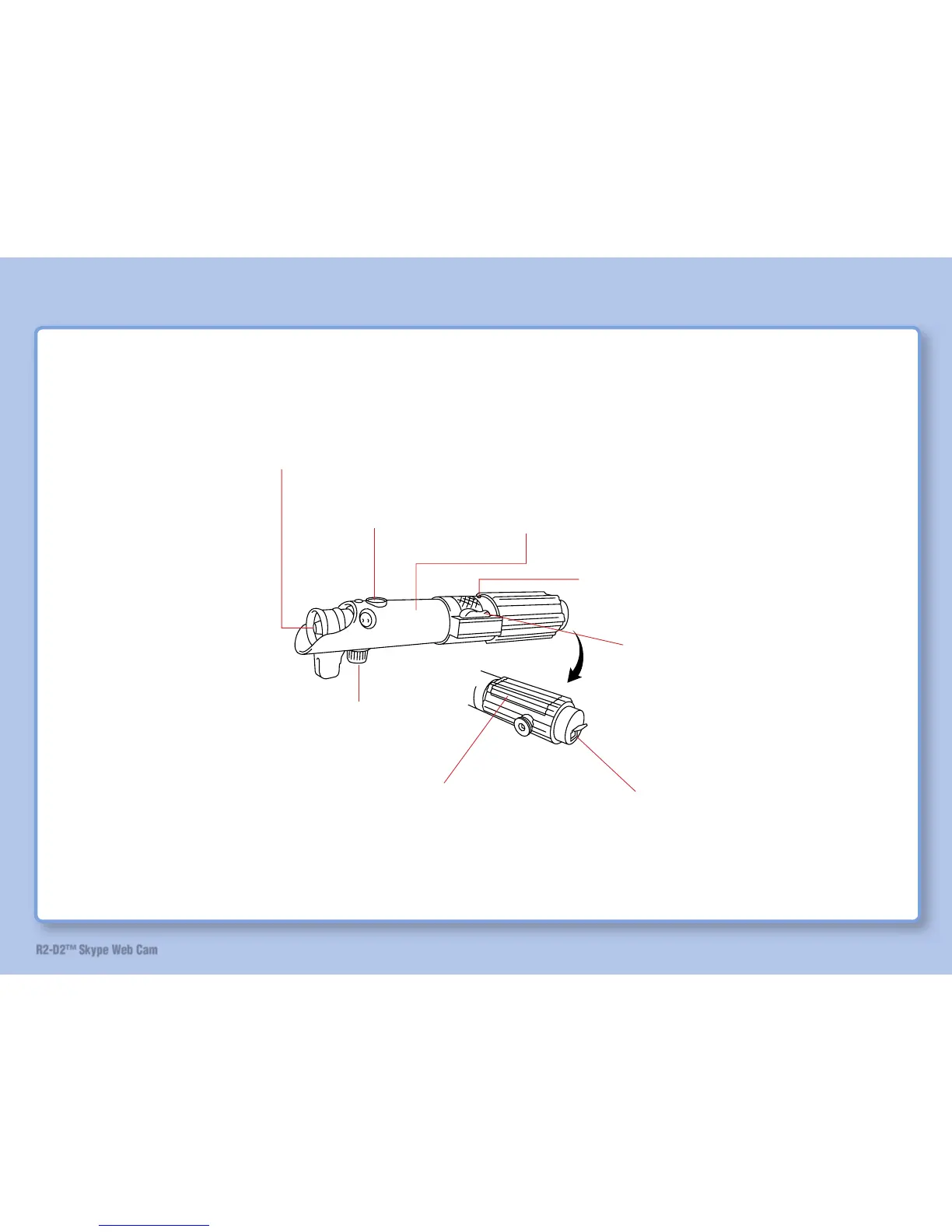
Parts Identifi cation and Function
LED indicator: Lit in red when the lightsaber is connected to the
stand and computer with USB cable. Lit in blue when the power is
on. It is also used as the battery cover.
LED indicator stopper button
(2 places): Press this button
to remove the LED indicator.
Speaker: The speaker
for Skype calls.
Power switch:
Switches sound action on/off. (Refer to “Sound
Action of Lightsaber” on page 61)
Microphone: The microphone for Skype calls.
USB connector: Connect the lightsaber to the
computer with USB cable. (Refer to page 40.)
Button cover: There are IP phone buttons inside
this cover. Open this cover to use the lightsaber as
an IP phone or to operate R2-D2.
LED indicator
stopper button.


 To Next Page