EasyManua.ls Logo

Nikon 1 J1 - Page 38

Nikon 1 J1
319 pages
Print Icon
To Next Page IconTo Next Page
To Previous Page IconTo Previous Page
Loading...
26
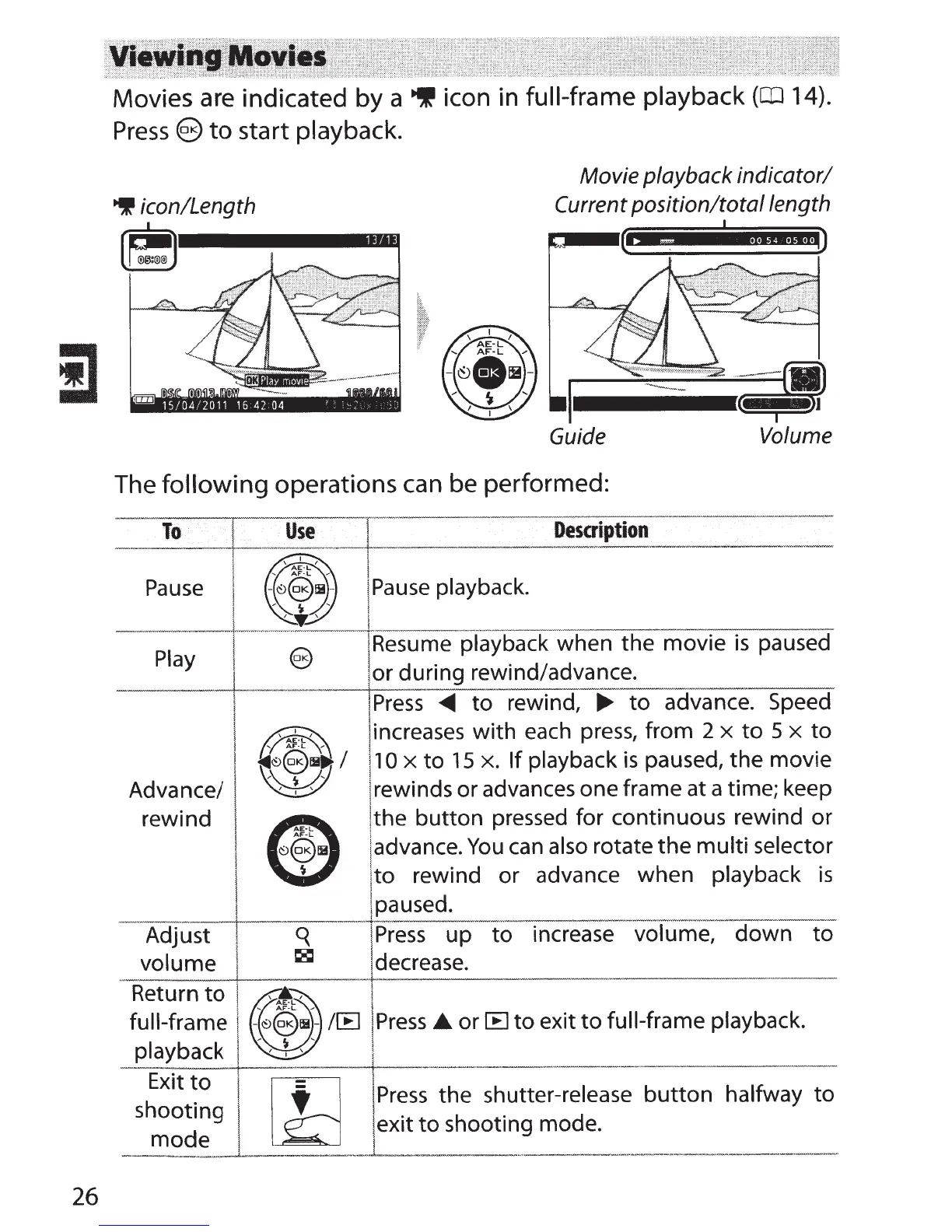
Movies are indicated by a
~
icon in
full-frame playback
(CD
14).
Press
§
to
start
playback.
~
icon/Length
Movie playback indicator/
Current position/toto/length
Guide Volume
The
following
operations
can
be performed:
To
Use
I ,
Description
' \
~~:t
I
'~
·
------~-~~-~--
-,~€?1H
,-
j
Pause
playback.
1-\
!
Pause
----
----
~·~-------·~----
--~~~--:--~----------
--~
jResume playback
when the movie
is
paused
Play
Advance/
rewind
Adjust
volume
Return
to
full-frame
playback
Exit
to
shooting
mode
1or during rewind/advance.
Press
<111111
to
rewind,
...,.
to
advance. Speed
1
increases
with each press, from 2
x
to
5 x
to
11
0
x
to
15
x.
If playback
is
paused,
the
movie
!rewinds or advances one frame at a time; keep
!the
button
pressed for continuous rewind or
!advance.
You
can
also
rotate
the
multi
selector
!
to
rewind or advance when
playback
is
'
jpaused.
j
Press
up
to
increase volume,
down
to
decrease.
!
Press
the shutter-release
button
halfway
to
~
exit
to
shooting mode.
!
------
·
--'------···-------
·-
--------··-·
----
-------·--

Table of Contents