96
T
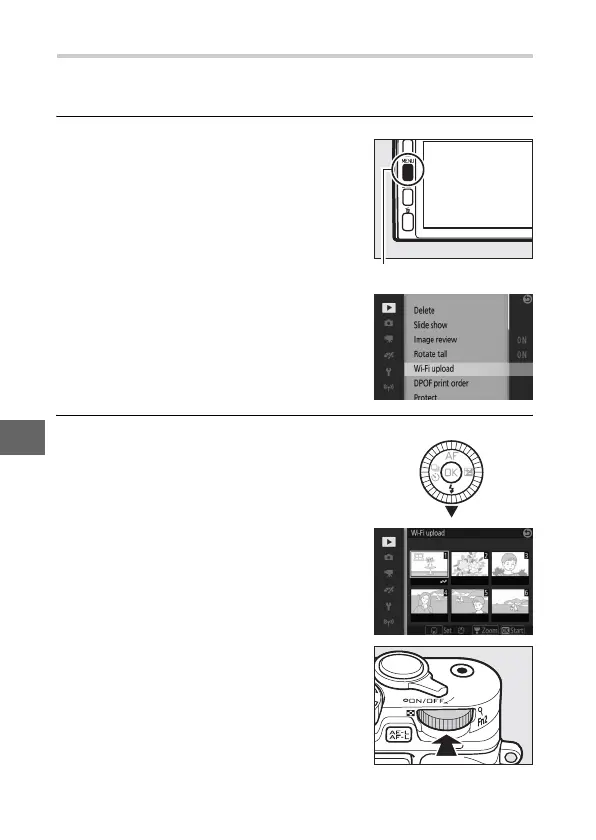
Uploading Multiple Selected Photos
To upload multiple selected photos, use the Wi-Fi upload
option in the playback menu.
1
Choose Wi-Fi upload.
2
Select photos.
Press the G button to display the
menus. Highlight Wi-Fi upload in the
playback menu and press 2.
G button
Press 4 or 2 to scroll through pictures
and press 1 or 3 to select or deselect,
or press and hold the main command
dial to view the highlighted picture
full frame. Selected images are indi-
cated by a & icon.
Main command dial



 To Next Page