5
s
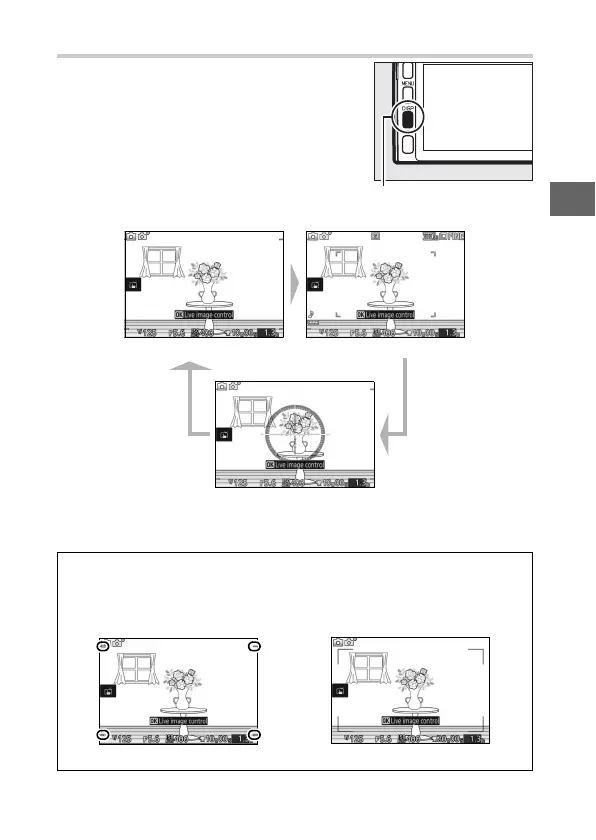
The $ (Display) Button
❚❚ Shooting
* Displayed only in modes other than Creative Palette.
Press $ to cycle through shooting and
playback indicators as shown below.
$ button
Simplified display Detailed display
Virtual horizon
*
A
Recording Area
The area recorded during movie recording is shown by guides in the
display; the appearance of the guides depends on the option selected
for Electronic VR (0 100, 101) in movie menu.
Electronic vibration reduction off Electronic vibration reduction on



 To Next Page