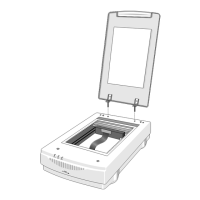
This document is the User's Manual for the Nikon Auto Document Feeder AF-10, an accessory designed for the Nikon ScanTouch 110 full-color flatbed scanner. The AF-10 enhances the scanner's functionality by allowing automatic feeding of multiple documents, thereby streamlining the scanning process for larger batches of paper.
Function Description:
The Nikon Auto Document Feeder AF-10 is an automatic document feeder that attaches to the Nikon ScanTouch 110 flatbed scanner. Its primary function is to automatically feed documents into the scanner, eliminating the need for manual placement of each page. This is particularly useful for scanning multiple-page documents efficiently. The feeder can handle a stack of up to 50 sheets of paper, provided the stack thickness does not exceed 6 mm. It supports a range of standard paper sizes, from small check sizes to legal-sized documents. The AF-10 can also be opened to allow for manual document placement on the scanner's glass, offering flexibility in scanning different types of media or single pages.
Important Technical Specifications:
- Weight: 10.0 lbs (4.5 kg)
- Dimensions (W x D x H): 12.7 x 20.6 x 4.1 inches (322 x 524 x 104 mm)
- Paper Capacity: 6 mm document stack (up to 50 pages for 0.1t paper)
- Operating Environment:
- Temperature: 41°F to 95°F (5°C to 35°C)
- Humidity: 20 to 85% R.H. (no condensation)
- Storage Environment:
- Temperature: -4°F to 140°F (-20°C to 60°C)
- Humidity: under 95% R.H. (no condensation)
- Paper Limitations (Size):
- Width: 3.0 to 8.5 inches (76 to 216 mm)
- Length: 5.0 to 14 inches (127 to 356 mm)
- Paper Limitations (Thickness): 0.065 to 0.145 mm
- Paper Limitations (Weight): 50 to 127 g/mm
- Paper Quality: Copy Paper
- Supported Paper Sizes:
- Check size: 3 x 5 inches (76mm x 127mm)
- A5: 5.8 x 8.3 inches (148.5mm x 210mm)
- B5: 7.2 x 10.1 inches (182mm x 257mm)
- A4: 8.3 x 11.7 inches (210mm x 297mm)
- Letter: 8.5 x 11 inches (216mm x 279mm)
- Legal: 8.5 x 14 inches (216mm x 356mm)
Usage Features:
- Easy Installation: The AF-10 is designed for straightforward installation onto the ScanTouch 110 scanner. This involves removing the scanner's document cover, fitting the AF-10's hinge plate over supporting posts, sliding it into place, securing it with two lockdown screws, and connecting its interface cable to the scanner's rear panel.
- Automatic Document Feeding: Users can load up to 50 sheets of documents into the upper tray, face up. Adjustable paper guides ensure proper alignment of the document stack before insertion.
- Manual Document Loading: Even with the AF-10 installed, the front end of the feeder can be opened to allow for manual placement of documents directly onto the scanner's glass, providing versatility for scanning single pages or delicate items.
- Compatibility: Specifically designed for the Nikon ScanTouch 110 full-color flatbed scanner.
- Document Condition Guidelines: For optimal performance and to prevent damage, it is recommended to use copy paper with ink that will not transfer to the rollers. Users should avoid torn, holed, wrinkled, or folded paper, paper with adhesive tape, carbon, or attached paper clips, or paper with wet ink, as these can cause paper jams or damage to the AF-10.
Maintenance Features:
- Jammed Document Removal: The manual provides clear instructions for troubleshooting and removing jammed documents. Depending on whether the jam is at the exit or within the feeder mechanism, users can lift the cover or the upper tray to access and gently pull out the jammed paper.
- Transparent Sheet Replacement: The quality of scans can degrade over time due to a scratched or dirty Transparent Sheet. The manual outlines a procedure for replacing this sheet, which involves raising the AF-10 cover, removing the old sheet by pulling its hooks and pushing it up, inserting a new sheet between the paper guides with the white side down, inserting its two hooks into the AF-10, pushing down its protrusions, and then closing the cover. Replacement Transparent Sheets can be purchased from a dealer.
- Storage of Lockdown Screws: When the AF-10 is removed, the lockdown screws can be stored in designated holes on the back of the unit to prevent loss.

 Need help?
 General




 To Next Page