Take Pictures
4
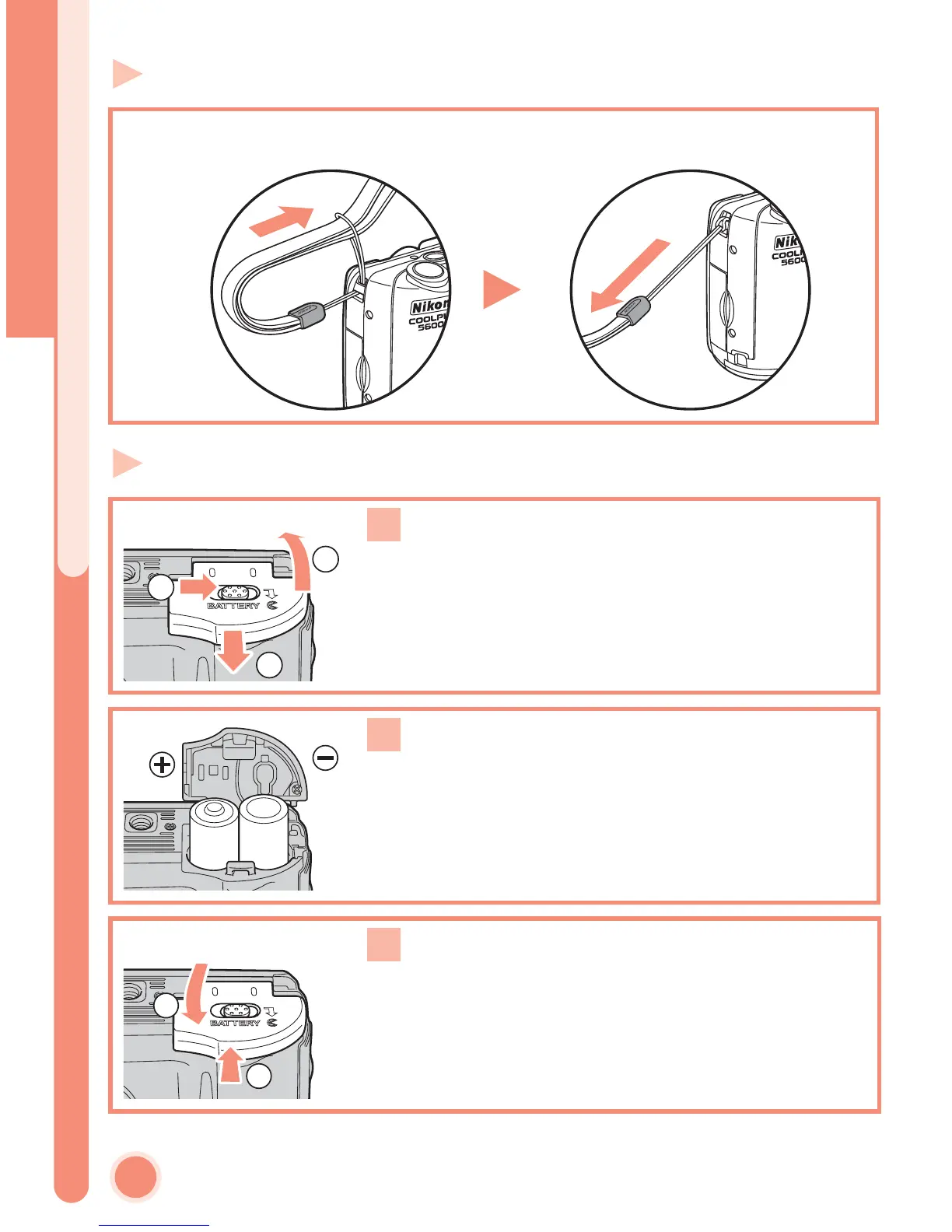
Step 2 Attach the camera strap
Step 3 Insert the batteries
Attach the camera strap securely to the eyelet on the camera body as shown
below.
Open the battery-chamber cover
Slide the battery-chamber cover latch as illus-
trated (c), pull the battery-chamber cover (d)
and open (e).
Insert the batteries
Insert the batteries as shown in the label inside
the battery chamber.
Close the battery-chamber cover
Close the battery-chamber cover (c) and slide it
in until it latches (d). Be sure that the battery-
chamber cover is properly latched.
1
2
3
1
2
1
2
3
Attach the camera strap/Insert the batteries















 To Next Page