Take Pictures
5
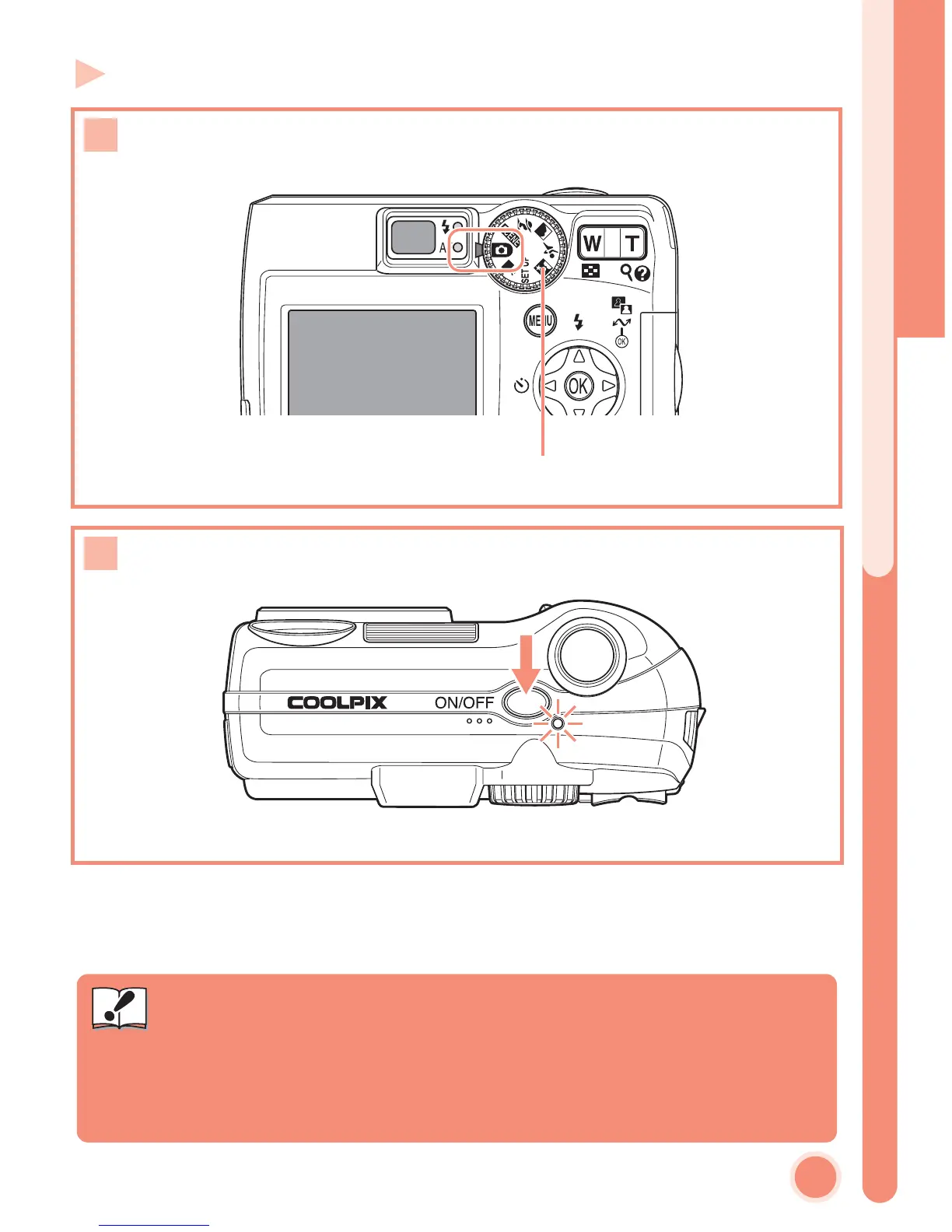
Step 4 Turn the camera on
Rotate the mode dial to P
PP
P
Turn the camera on
1
Mode dial
2
Battery Type
To improve battery performance, select the type of battery currently
inserted in the camera in the SET-UP menu. The default setting is the type
of the included batteries. When any other type of battery is used, change
the setting. For more information, see the Nikon Guide to Digital Photog-
raphy with the E5600/E4600 (P. 102).
Important
Turn the camera on















 To Next Page