EasyManua.ls Logo

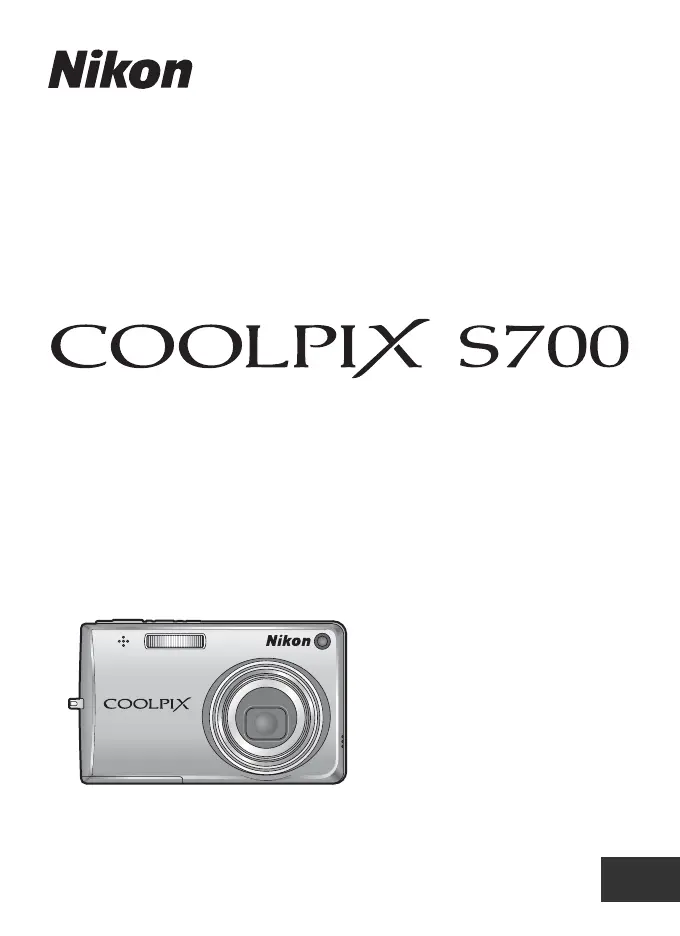
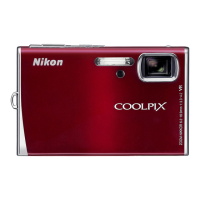
Nikon CoolPix S700 - User Manual

Nikon CoolPix S700
148 pages
Print Icon
To Next Page IconTo Next Page
Loading...
En
No reproduction in any form of this manual, in whole or in part
(except for brief quotation in critical articles or reviews), may be
made without written authorization from NIKON CORPORATION.
Printed in Japan
YP7H03800101(11)
6MA31311-01
DIGITAL CAMERA
Users Manual
En

Table of Contents

Other manuals for Nikon CoolPix S700

Questions and Answers

  • A
    Alexis DominguezSep 10, 2025
    Why cannot use D-Lighting, crop, or small picture options on Nikon CoolPix S700 Digital Camera?
    • A
      Adam WadeSep 10, 2025
      If you are unable to use D-Lighting, crop, or small picture options on your Nikon Digital Camera, it's because these options cannot be used with movies and pictures shot when [16:9] is applied in the [Image mode] setting. Select a picture that supports D-Lighting, crop, or small picture.
  • J
    jacquelinescottAug 22, 2025
    What to do if my Nikon CoolPix S700 does not shoot?
    • M
      Mrs. Christine ReedAug 22, 2025
      If your Nikon Digital Camera does not shoot when you press the shutter-release button, and it is in playback mode, press the 'c' button or the shutter-release button again. Ensure that the battery is not exhausted; charge or replace it if needed. If menus are displayed, press the 'd' button. Also, if the flash lamp is blinking, wait until the flash has charged completely.
  • C
    Crystal JacobsonAug 25, 2025
    Why does my Nikon CoolPix S700 turn off without warning?
    • K
      Krystal GonzalezAug 25, 2025
      If your Nikon Digital Camera turns off without warning, the battery may be low; try charging or replacing it. The camera might also be turning off automatically to save power. If the battery is cold, try warming it up.
  • A
    Anna NelsonAug 26, 2025
    Why are my Nikon CoolPix S700 Digital Camera pictures blurred?
    • A
      Amanda MilesAug 27, 2025
      If your pictures from Nikon Digital Camera are blurred, try using the flash or a high-sensitivity shooting mode. You might also want to use vibration reduction. Set [Continuous] to [BSS], or use a tripod and the self-timer.
  • M
    Matthew YoungAug 27, 2025
    Why doesn't the flash fire on my Nikon CoolPix S700?
    • B
      Benjamin ReidAug 27, 2025
      If the flash on your Nikon Digital Camera does not fire, ensure that the flash is turned on. Some scene modes do not allow the flash to be turned on, so select a different scene mode. Also, if D modes other than [Time-lapse movie] and [Stop-motion movie] are selected, choose a different D mode. Finally, if [Continuous], [BSS], or [Multi-shot 16] is selected for [Continuous], select a different option.
  • C
    Cynthia MarquezAug 29, 2025
    How to correct date and time of recording on Nikon CoolPix S700?
    • A
      Abigail PadillaAug 29, 2025
      If the date and time of recording are not correct on your Nikon Digital Camera, check the camera clock regularly against more accurate timepieces and reset as required. Pictures recorded before the clock was set, indicated by a blinking "Date not set" indicator during shooting, will have a timestamp of "00/00/0000 00:00"; movies and voice recordings will be dated "01/ 09/2007 00:00."
  • M
    Mr. Richard LaraSep 18, 2025
    Why cannot record or playback voice memo on Nikon CoolPix S700?
    • C
      Chelsea MartinezSep 18, 2025
      Voice memos cannot be appended to movies. Voice memos cannot be appended to pictures shot by other cameras, and voice memos recorded by other cameras cannot be played back.
  • W
    William VaughanSep 12, 2025
    How to enable digital zoom on Nikon CoolPix S700?
    • C
      christina02Sep 12, 2025
      If digital zoom cannot be used on your Nikon Digital Camera, check if [Digital zoom] is set to [Off] in the setup menu and set it to [On]. Digital zoom is also not available in certain situations, so try changing the scene mode.
  • D
    Dillon WestSep 8, 2025
    Why cannot zoom in on picture on Nikon CoolPix S700 Digital Camera?
    • J
      Justin HarrisSep 8, 2025
      If you cannot zoom in on a picture with your Nikon Digital Camera, it may be because playback zoom cannot be used with movies, small pictures, or pictures that have been cropped to below 320 × 240. Select a different picture.
  • M
    Mr. Miguel MatthewsSep 5, 2025
    How to fix hard to read monitor on Nikon Digital Camera?
    • A
      Ashley McgeeSep 5, 2025
      If the monitor on your Nikon Digital Camera is hard to read, start by cleaning the monitor. If the issue persists, adjust the monitor brightness, as it may have dimmed to save power.

Summary

Introduction

About This Manual

Outlines manual contents, symbols, notations, and screen samples.

Memory Cards

Details storage of pictures on internal memory or memory cards.

Information and Precautions

Safety, usage, and legal notices for the camera.

Parts of the Camera

Identifies and describes the physical components of the camera body.

The Monitor

Details the camera's monitor display and indicators.

Basic Operations

Explains basic button functions and menu navigation.

First Steps

Charging the Battery

How to charge the camera's rechargeable battery.

Inserting the Battery

Step-by-step guide to insert the battery correctly.

Removing the Battery

How to eject and remove the battery from the camera.

Turning On and Off the Camera

Basic camera power operations.

Setting Display Language, Date and Time

Configuration of initial camera settings.

Inserting Memory Cards

Guide to insert SD memory cards into the camera.

Removing Memory Cards

How to eject and remove memory cards.

Basic Photography and Playback: Auto Mode

Step 1 Turn the Camera On and Select A (Auto) Mode

How to start the camera and select auto shooting mode.

Step 2 Frame a Picture

Guides on composing shots and using the camera.

Using the Zoom

Explanation of optical and digital zoom functions.

Step 3 Focus and Shoot

Instructions for focusing and taking pictures.

Step 4 Viewing and Deleting Pictures

How to review and remove captured images.

Using the Flash

Details on flash modes and operation.

Taking Pictures with the Self-timer

How to use the self-timer for delayed shots.

Macro Mode

Instructions for close-up photography.

Exposure Compensation

Adjusting exposure for brighter or darker images.

High-Sensitivity Shooting Mode

Shooting in the High-Sensitivity Shooting Mode

Usage under low lighting conditions to reduce blur.

Shooting Suited for the Scene

Shooting in the Scene Mode

Explains automatic scene optimization for different subjects.

Features

Details on specific scene modes like Portrait, Landscape, Sports.

Taking Pictures for a Panorama

Instructions for panoramic photography.

More on Playback

Viewing Multiple Pictures: Thumbnail Playback

Displaying multiple images as thumbnails.

Viewing Multiple Pictures: Thumbnail Wheel Playback

Using a thumbnail wheel for navigation.

Taking a Closer Look: Playback Zoom

Zooming in on pictures for detailed viewing.

Editing Pictures

Overview of in-camera picture editing functions.

Enhancing Brightness and Contrast: D-Lighting

Improving image brightness and contrast.

Creating a Cropped Copy: Crop

Resizing images by cropping.

Resizing Pictures: Small Picture

Creating smaller versions of images.

Voice Memos: Recording and Playback

Managing audio recordings for pictures.

Viewing Pictures by Date

Organizing and viewing photos by date.

Movies

Recording Movies

How to shoot video with sound.

The Movie Menu

Options for movie settings.

Selecting Movie Options

Details on image size and frame rate for movies.

Auto-focus Mode

Configuring autofocus for movie recording.

Electronic VR

Using electronic vibration reduction for movies.

Time-Lapse Movies

Recording sequences over time for time-lapse effect.

Stop-Motion Movies

Creating stop-motion animation.

Movie Playback

How to play recorded movies.

Deleting Movie Files

Removing movie files from the camera.

Voice Recordings

Making Voice Recordings

Recording audio memos.

Playing Voice Recordings

Listening to recorded voice memos.

Deleting Sound Files

Removing voice recordings.

Copying Voice Recordings

Transferring voice memos.

Connecting to Televisions, Computers and Printers

Connecting to a TV

Outputting camera content to a television.

Connecting to a Computer

Transferring files to a computer.

Connecting to a Printer

Printing directly from the camera.

Connecting to a ImageLink-compatible Printer

Specific connection for ImageLink printers.

Shooting, Playback and Setup Menus

Shooting Options: The Shooting Menu

Configuration options for shooting.

Playback Options: The Playback Menu

Options for managing playback.

Basic Camera Setup: The Setup Menu

Camera configuration settings.

Technical Notes

Optional Accessories

List of compatible accessories.

Approved Memory Cards

List of tested and approved memory cards.

Image;Sound File and Folder Names

Naming conventions for files and folders.

Caring for the Camera

Maintenance and handling instructions.

Cleaning

How to clean camera parts.

Storage

Proper storage procedures.

Error Messages

Troubleshooting common errors.

Troubleshooting

General problem-solving guide.

Specifications

Technical details of the camera.

Supported Standards

Information on supported file systems and standards.

Nikon CoolPix S700 Specifications

General IconGeneral
Effective Pixels12.1 million
Optical Zoom3x
Digital Zoom4x
InterfaceUSB
LensNIKKOR lens
Focus Range30 cm (1 ft.) to infinity
LCD Monitor230, 000-dot, wide viewing angle TFT LCD with anti-reflection coating
Storage MediaSD/SDHC memory cards
ISO SensitivityISO 64, 100, 200, 400, 800, 1600
Power SourcesRechargeable Li-ion Battery EN-EL10, AC Adapter EH-62D (optional)
Battery Life (approx.)180 shots with EN-EL10 battery
Weight130 g (4.6 oz.) without battery and SD memory card
Total PixelsApprox. 12.39 million

Related product manuals