EasyManua.ls Logo

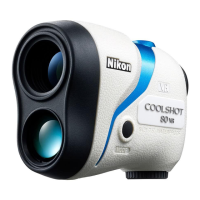
Nikon CoolShot 80 i VR - User Manual

Nikon CoolShot 80 i VR
80 pages
Print Icon
To Next Page IconTo Next Page
Loading...
Instruction manual/Manual de instrucciones/
Manuel d’utilisation/Manual de instruções
Pt
En
Fr
Es

Table of Contents

Questions and Answers

  • C
    Chad GayAug 5, 2025
    How to turn on Nikon CoolShot 80 i VR?
    • D
      dennisrichardAug 5, 2025
      If your Nikon Measuring Instruments device does not turn on, first, press the PWR button located on the top of the body. Then, verify that the battery is correctly inserted. If the issue persists, replace the battery with a new one.
  • F
    Francisco NicholsonAug 11, 2025
    What to do if Nikon CoolShot 80 i VR Measuring Instruments is unable to measure or shows anomalous results?
    • R
      Robert ParkerAug 11, 2025
      If you are unable to measure or are getting anomalous results with your Nikon Measuring Instruments, first confirm each mode setting. Then, test the device by measuring a large target close to you, such as a building approximately 15 meters/yards away. If problems persist, clean the lens surface.
  • J
    John HornAug 16, 2025
    How to turn off VR (Vibration Reduction) function on Nikon CoolShot 80 i VR Measuring Instruments?
    • H
      hjohnstonAug 16, 2025
      The VR (Vibration Reduction) function is activated automatically when the Laser Rangefinder is turned ON. When the Laser Rangefinder is turned OFF, the VR (Vibration Reduction) function automatically turns off. The VR (Vibration Reduction) function cannot be manually switched on and off.
  • S
    Samantha StrongAug 23, 2025
    How to know if VR (Vibration Reduction) function is working on Nikon CoolShot 80 i VR?
    • C
      christopher00Aug 23, 2025
      To check if the VR (Vibration Reduction) function is working on your Nikon Measuring Instruments, compare the vibration of the target in the viewfinder when the Laser Rangefinder is ON versus OFF. When the Laser Rangefinder is ON, the VR function is always active.
  • E
    Edward McclainAug 28, 2025
    Why are there minute motion sounds when Nikon CoolShot 80 i VR power turns on and off?
    • K
      Kelly MckinneyAug 29, 2025
      The minute motion sounds you hear when turning your Nikon Measuring Instruments on and off are normal. These sounds are caused by the VR (Vibration Reduction) system motor. You can continue to use the Laser Rangefinder without concern.

Summary

Introduction

Introduction

Thank you for purchase and instructions for correct usage. Keep manual handy.

Cautions before use

Observe guidelines strictly to use equipment properly and avoid hazardous problems.

Getting to Know the Laser Rangefinder

Key Features

Details measurement range, VR function, target priority, optics, and display modes.

Nomenclature and Composition

Identifies and labels the different parts and included accessories of the rangefinder.

Internal Display

Explains the icons and indicators displayed within the rangefinder's viewfinder.

Functions

VR (Vibration Reduction) Function

Explains the VR function activation and deactivation with the rangefinder's power.

First Target Priority Algorithm

Describes how the algorithm selects the closest subject distance when measuring overlapping subjects.

First Target Priority Detection Sign

Identifies the sign that appears when the First Target Priority algorithm is active.

First Step

Inserting;Replacing Battery

Step-by-step guide on how to insert and replace the device's battery.

Mode Settings

Operation Overview

Provides a diagram illustrating the operation flow and mode switching.

Changing the Distance Display Unit (m;YD)

Instructions on how to switch between metric (m) and imperial (YD) units.

Changing the Measurement Display Mode

Explains how to select different modes like Golf, Horizontal, and Actual distance.

Measurement

Adjusting Diopter

How to adjust the diopter ring for a clear viewfinder image.

Measuring

Procedure for turning on the device, aiming, and taking measurements.

Single Measurement

How to perform a single measurement by pressing the power button once.

Continuous Measurement

How to perform continuous measurements by pressing and holding the power button.

Technical Notes

Specifications

Detailed technical specifications including model, optics, power, and dimensions.

Troubleshooting and Repair

Lists common problems, their causes, and solutions, along with repair advice.

Nikon CoolShot 80 i VR Specifications

General IconGeneral
Magnification6x
DisplayLCD
Objective Diameter21 mm
Exit Pupil3.5 mm
Field of View7.5°
Vibration ReductionYes
ID TechnologyYes
WaterproofYes
FogproofYes
InclinometerYes
Battery TypeCR2 Lithium

Related product manuals