167
CUSTOM SETTINGS
AND O
THER MENUS—CUST
OM SETTINGS
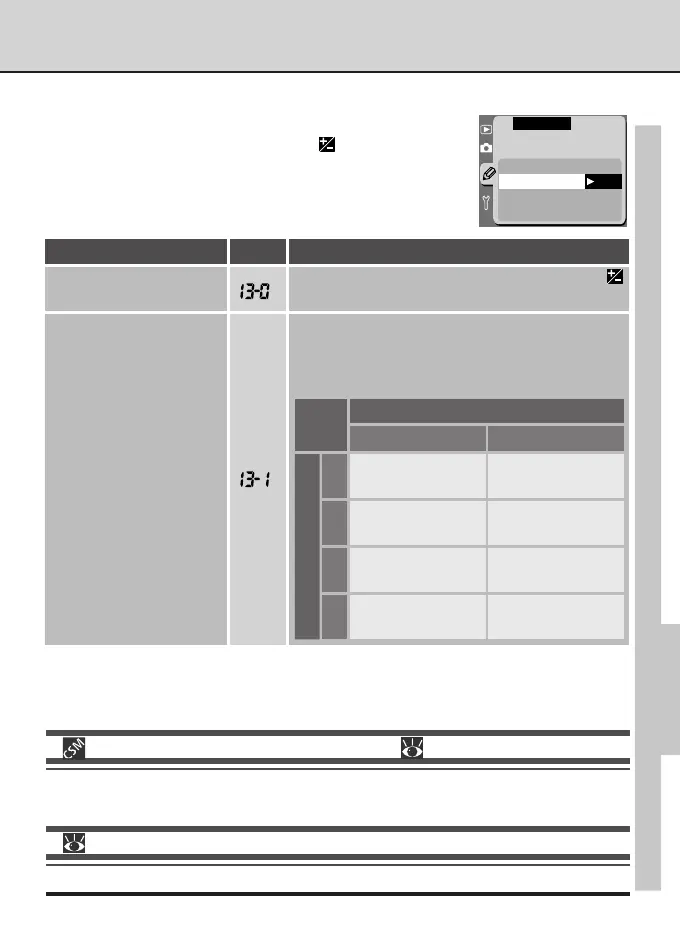
Custom Setting 13: Easy Exposure Compensation
If desired, exposure compensation can be set with the com-
mand dials alone, without pressing the
button. Exposure
compensation can be set to values between –5 EV and + 5
EV.
F13 Easy Exposure
Compensation
OFF [+/–] & CMD Dial
ON CMD Dial only
CSM MENU
OK
DescriptionNo.Option
Exposure compensation is set by pressing the
button while rotating the main command dial.
[
+
/–] & CMD Dial
(default)
2—EV Steps for Exposure Control ( pg. 161)
By default, adjustments to aperture and shutter speed are made in increments equivalent to
1
/
3
EV (
1
/
3
step). If desired, the size of the increments can be increased to
1
/
2
or 1 step.
For more information on:
pg. 98 Exposure compensation
Exposure compensation is set using one of the com-
mand dials. The command dial used to set exposure
compensation varies with the exposure mode and
the option chosen in Custom Setting 12.
CMD Dial only
Exposure mode
Custom Setting 12
P
S
A
M
Main=S, Sub=A
Sub-command dial
Sub-command dial
Main command dial
–
Main=A, Sub=S
Sub-command dial
Main command dial
Sub-command dial
–



 To Next Page