VBA10501-R.3657.A
- D3 ・ -
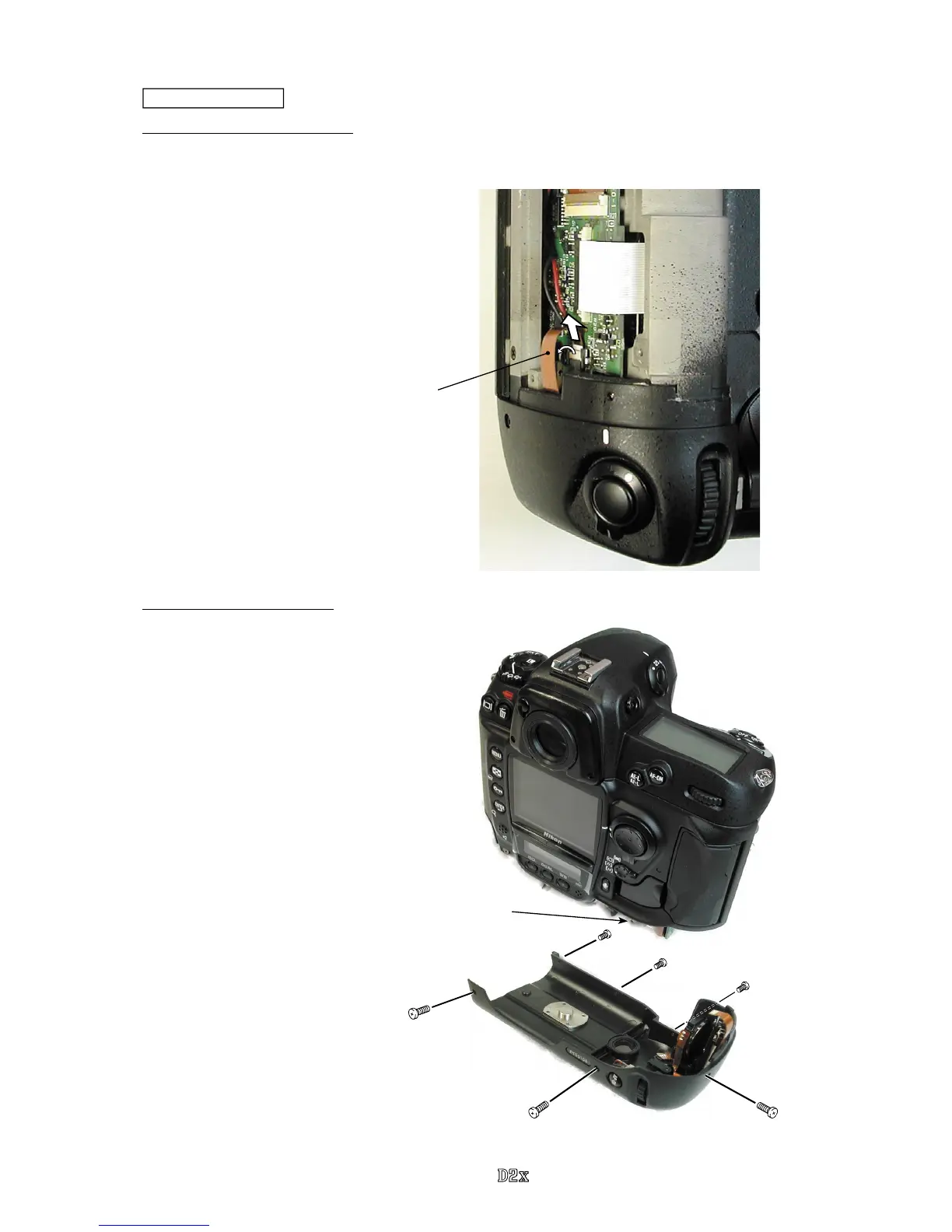
1. Remove Vertically position FPC
Bottom Cover Unit
2. Remove Bottom cover unit
Vertically position FPC
Bottom cover unit
・
Remove the vertically position FPC from
the connector.
・
Take out 3 screws (#1512) and 3 screws
(#1517).
・
Remove the bottom cover unit from the
camera body.
#1512×3
#1517×3
Note: Between the bottom cover and
the body (i.e. A part), there is the
washer (T=0.3) inserted.
When assembling, be sure to put
it back into the original position.
(This measure is for lling in a
gap between the back door and
bottom cover.)
A part



 To Next Page