132
Taking Photographs—Non-CPU Lenses
2
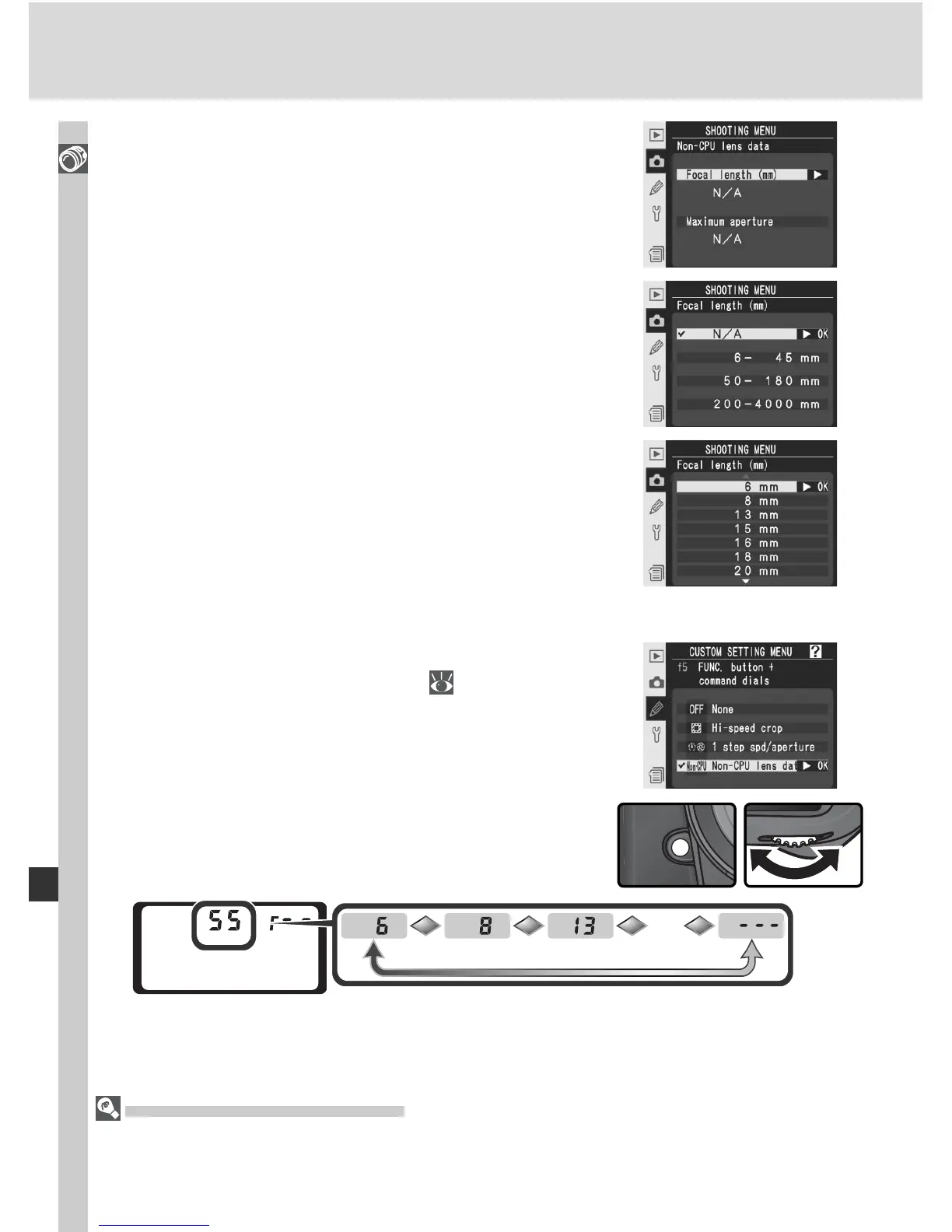
Highlight Focal length (mm) and press the
multi selector to the right.
3
Select the group to which the lens belongs
from 6 - 45 mm, 50 - 180 mm, 200 - 4000 mm
and press the multi selector to the right.
4
Select the lens focal length (in mm) and press
the multi selector to the right.
Default Maximum Aperture
Selecting a focal length sets Maximum aperture to the last value selected at that
focal length.
The FUNC. Button
1
Select Non-CPU lens data for Custom Set-
ting f5 (FUNC. + command; 209).
2
Press the FUNC. button and rotate the main
command dial. Focal length is displayed in the
top control panel:
…



 To Next Page