238
Connections—Connecting to a Printer
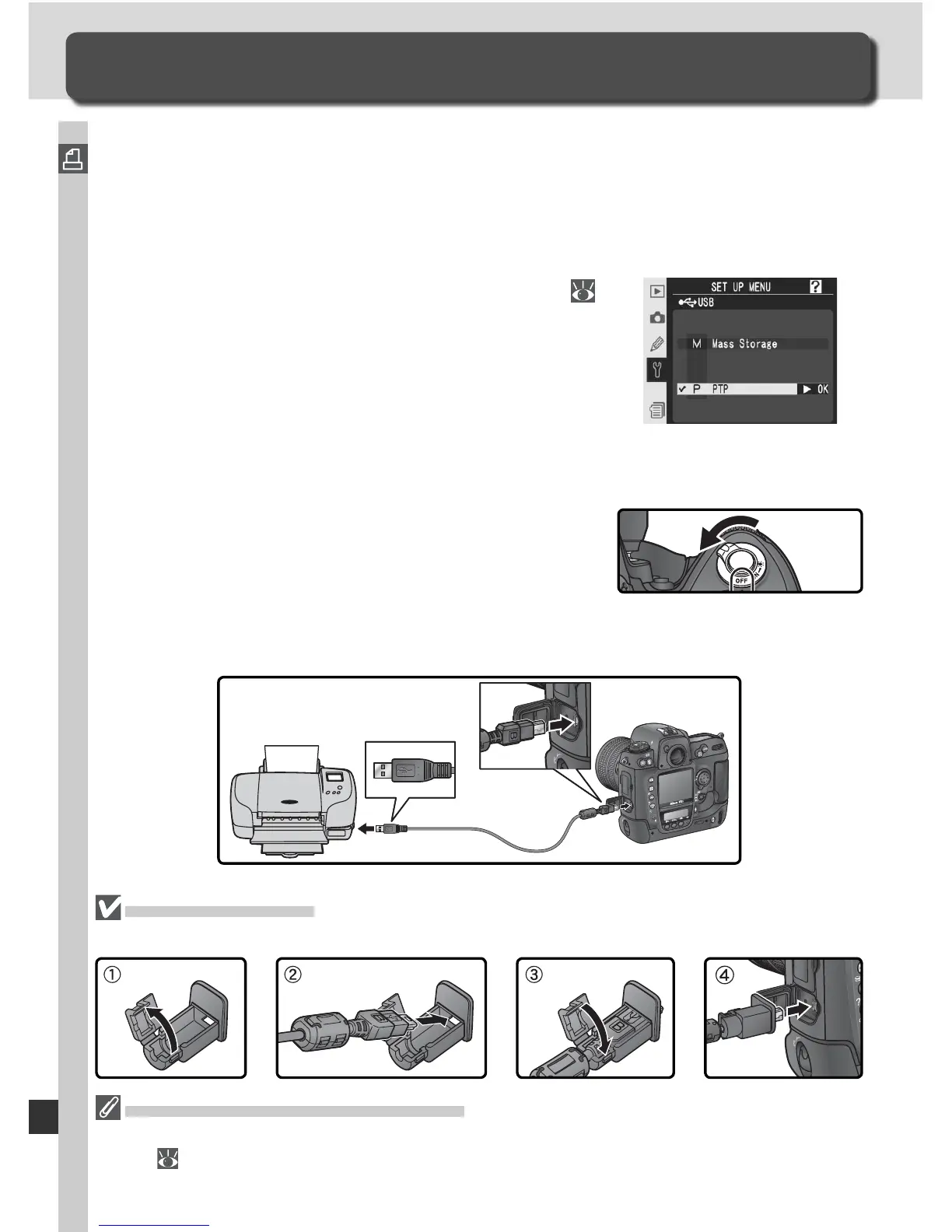
When the camera is connected to a PictBridge-compatible printer via the
supplied UC-E4 USB cable, selected JPEG images can be printed directly
from the camera. Before connecting the printer, confi rm that it supports
PictBridge. If possible, connect the camera to an EH-6 AC adapter (available
separately) to reduce the drain on the battery.
1
Set the USB option in the setup menu (
220) to PTP (photographs can not be printed
at the default setting of Mass Storage).
The USB Cable Clip
To prevent cable from being disconnected, fasten the clip as shown.
Connecting to a Printer
Printing Photographs
2
Turn the printer on.
3
Turn the camera off.
4
Connect the UC-E4 USB cable as shown. Connect the camera directly to
the printer; do not connect the cable via a USB hub.
Taking Pictures for Direct Printing
When taking photographs to be printed without modifi cation, set Color space to
sRGB ( 70).



 To Next Page