195
Menu Guide—Custom Settings
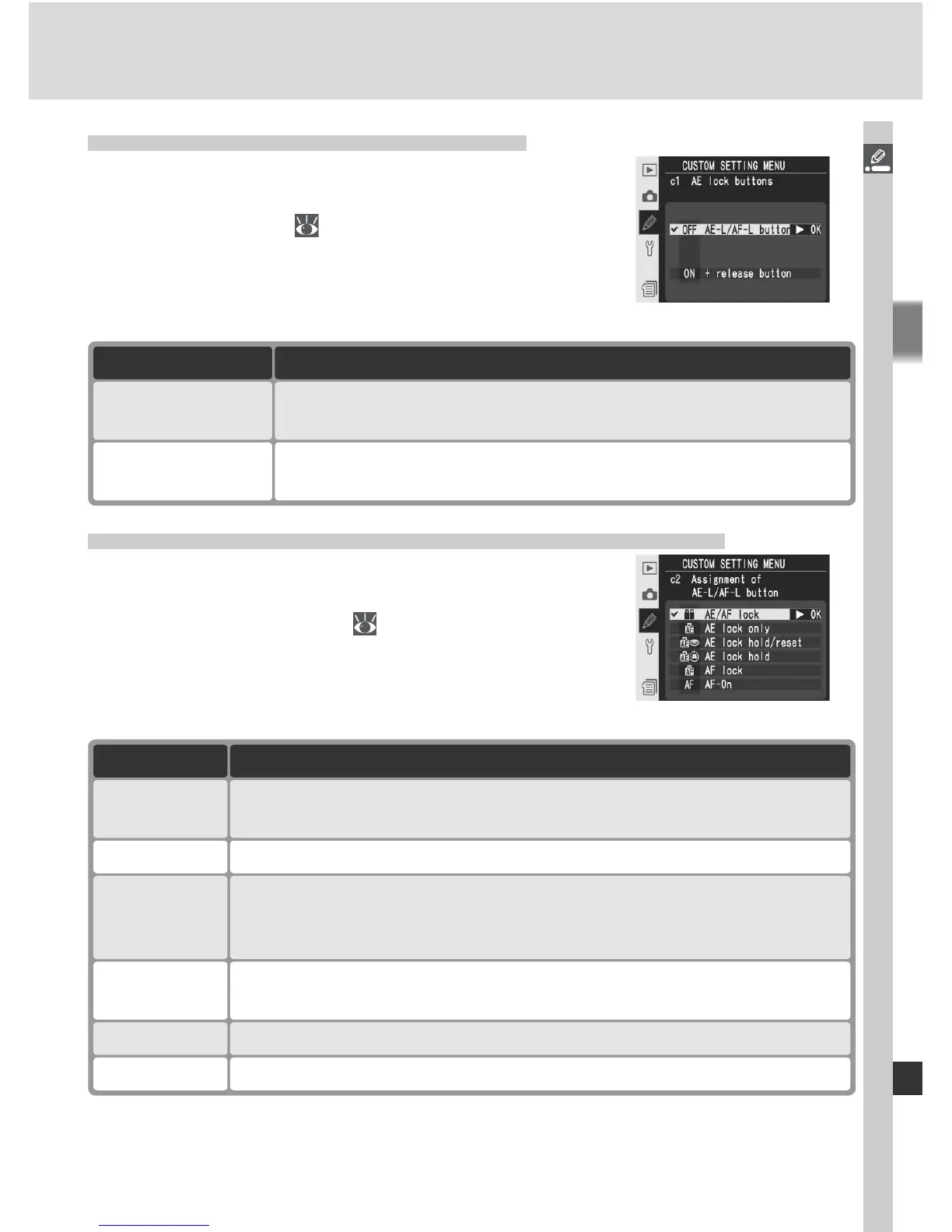
Custom Setting c2: Assignment of AE-L/AF-L Button
This option controls the behavior of the AE-L/AF-L
button. Highlight c2 AE-L/AF-L in the second
level of the CSM menu ( 180) and press the
multi selector to the right. Press the multi selector
up or down to highlight an option, then press to
the right to make a selection.
Option Description
AF lock Focus locks while AE-L/AF-L button is pressed. Exposure is unaffected.
AE lock hold
Exposure locks when AE-L/AF-L button is pressed and remains locked
until button is pressed again or exposure meters turn off.
AE lock
hold/reset
Exposure locks when AE-L/AF-L button is pressed and remains locked
until button is pressed again, shutter is released or exposure meters
turn off.
AE lock only Exposure locks while AE-L/AF-L button is pressed. Focus is unaffected.
AE/AF lock
(default)
Both focus and exposure lock while AE-L/AF-L button is pressed.
AF-On AE-L/AF-L button performs same function as AF-ON button.
Custom Setting c1: AE Lock Buttons
This option determines what controls lock expo-
sure. Highlight c1 AE lock in the second level
of the CSM menu ( 180) and press the multi
selector to the right. Press the multi selector up
or down to highlight an option, then press to the
right to make a selection.
Option Description
AE-L/AF-L button
(default)
+ release button
Exposure can be locked by pressing AE-L/AF-L button or by
pressing shutter-release button halfway.
Exposure can only be locked by pressing AE-L/AF-L button.



 To Next Page