225
Menu Guide—The Setup Menu
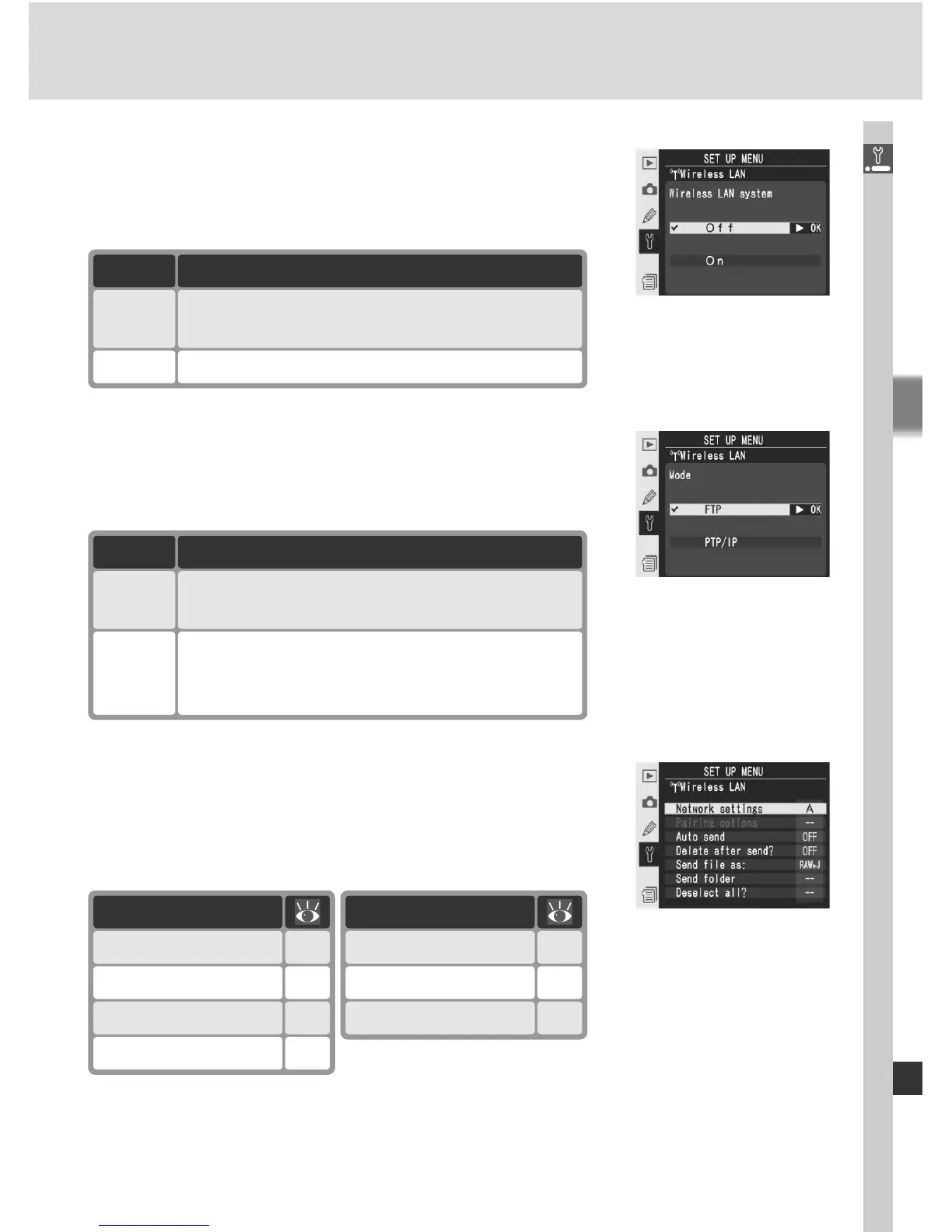
Wireless LAN system
Turn the WT-2 / 2A on or off. Press the multi se-
lector up or down to highlight an option and then
press the multi selector to the right.
Option Description
Off
(default)
On WT-2 / 2A on; wireless link available.
WT-2 / 2A off; wireless link unavailable.
Mode
Press the multi selector up or down to highlight
FTP or PTP/IP and then press the multi selector
to the right.
Option Description
FTP
(default)
Use when connecting to ftp server.
PTP/IP
Use when controlling camera remotely.
Requires Camera Control Pro (available
separately).
Settings
The settings menu contains the options listed
below. Press the multi selector up or down to
highlight an option and then press the multi se-
lector to the right.
Option
Network settings 226
Pairing options 226
Auto send 227
Delete after send? 227
Option
Deselect all? 228
Send folder 228
Send fi le as 228



 To Next Page