64
Taking Photographs—White Balance
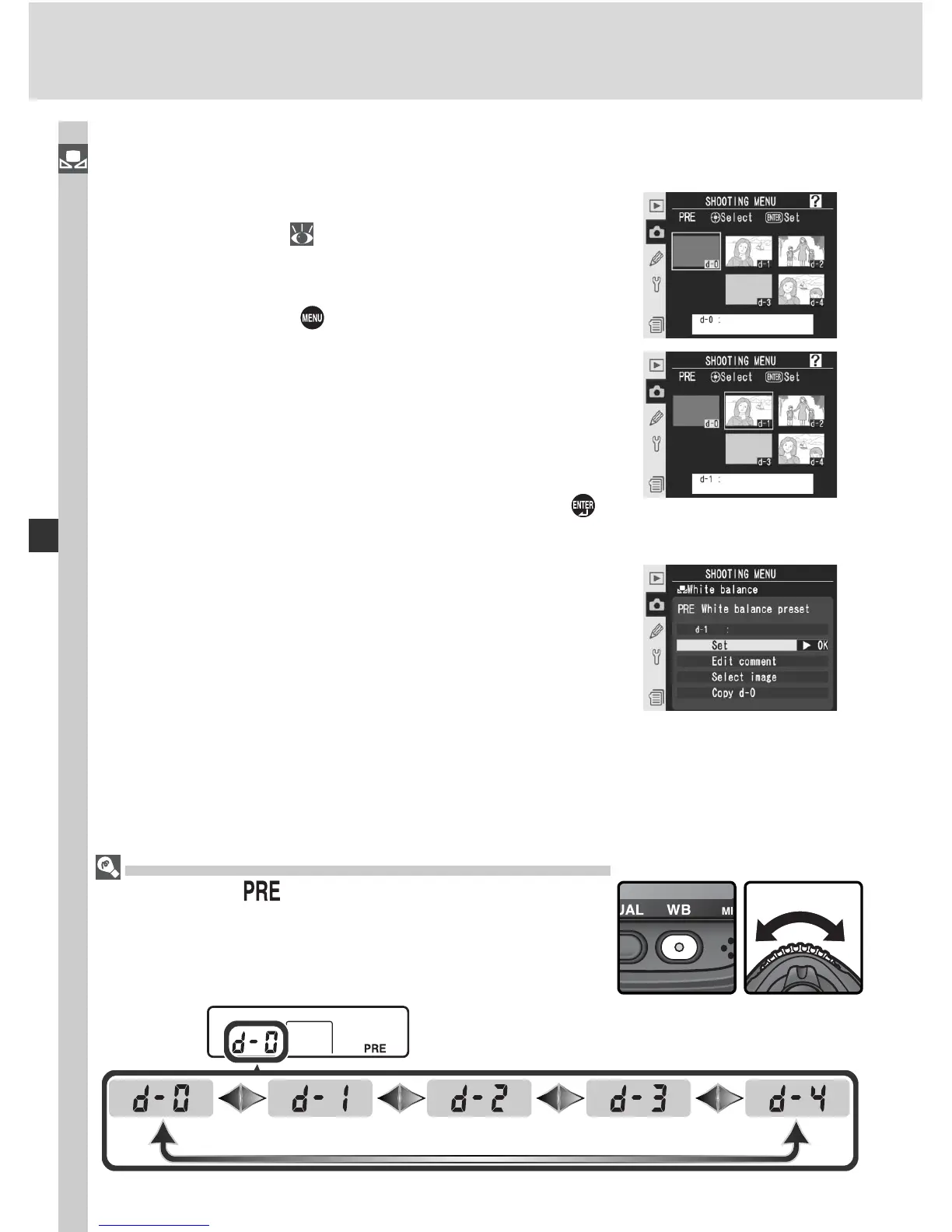
Selecting a White Balance Preset
To set white balance to a preset value:
1
Highlight White balance preset in the white
balance menu (
55) and press the multi se-
lector to the right. The menu shown at right
will be displayed. (To return to the shooting
menu, press the
button.)
2
Presets are identifi ed by an icon or thumbnail,
a name (d-0 – d-4), and a comment. Press the
multi selector up, down, left, or right to high-
light the desired preset. To select the high-
lighted preset and return to shooting mode
without completing steps 3–5, press the
button.
3
Press the center of the multi selector to display
the menu shown at right. To view options for
other presets, highlight the name of the cur-
rent preset (d-0 – d-4) and press the multi
selector right.
Selecting a White Balance Preset: the WB Button
At a setting of (White balance preset), presets
can also be selected by pressing the WB button and
rotating the sub-command dial. The current preset is
displayed in the rear control panel while the WB button
is pressed.



 To Next Page