X
8
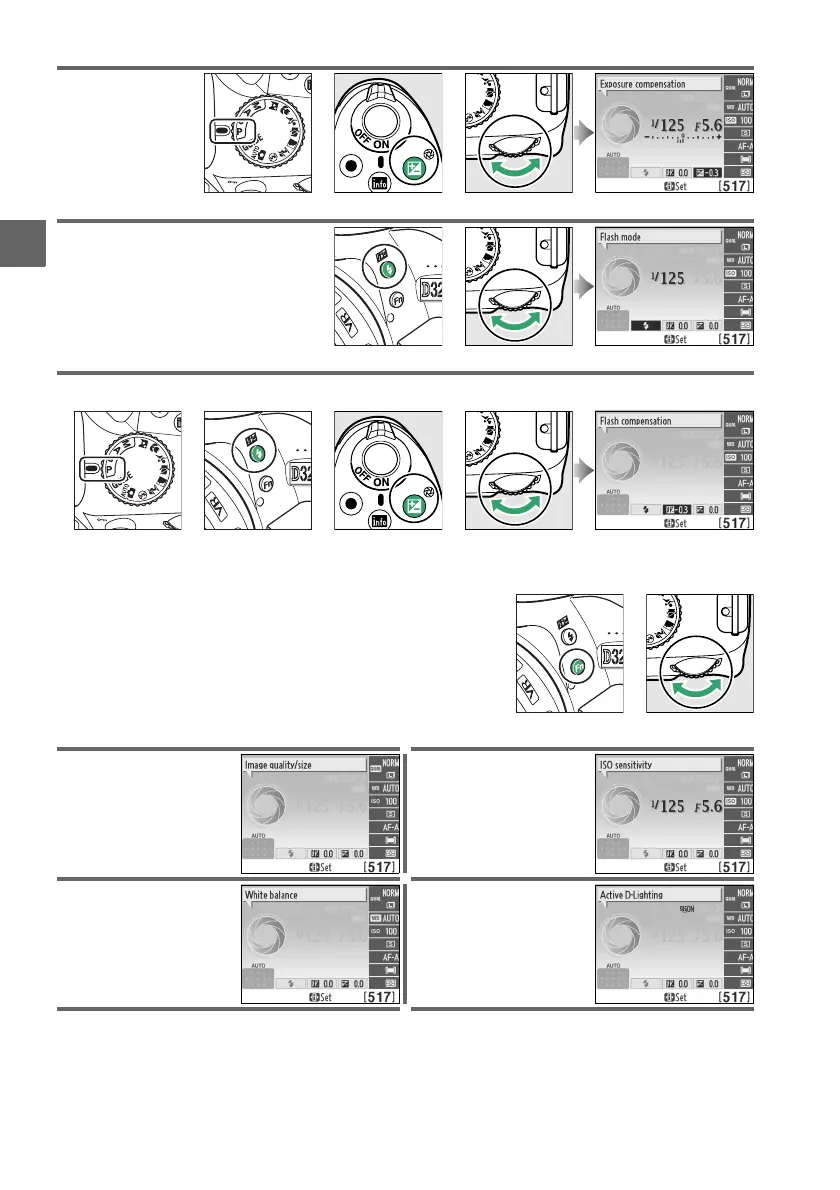
Set exposure
compensation
(mode P, S, or A;
0 63).
+
Mode P, S, or A
E (N) button Command dial Information display
Choose a flash mode (0 49).
+
M (Y) button Command dial Information display
Adjust flash compensation (mode P, S, A, or M; 0 65).
+
+
P, S, A, or M M (Y) button E (N) button Command dial Information display
The role of the Fn button can be selected using the
Buttons > Assign Fn button option in the setup menu
(0 143), allowing the following settings to be
adjusted by pressing the Fn button and rotating the
command dial:
+
Fn button Command dial
Image quality/size (0 44) ISO sensitivity (0 51)
White balance (0 69) Active D-Lighting (0 67)



 To Next Page