134
g
Select Ye s to reset setup menu all settings except Video mode, Time zone and date,
Language, and Storage folder to the defaults listed above.
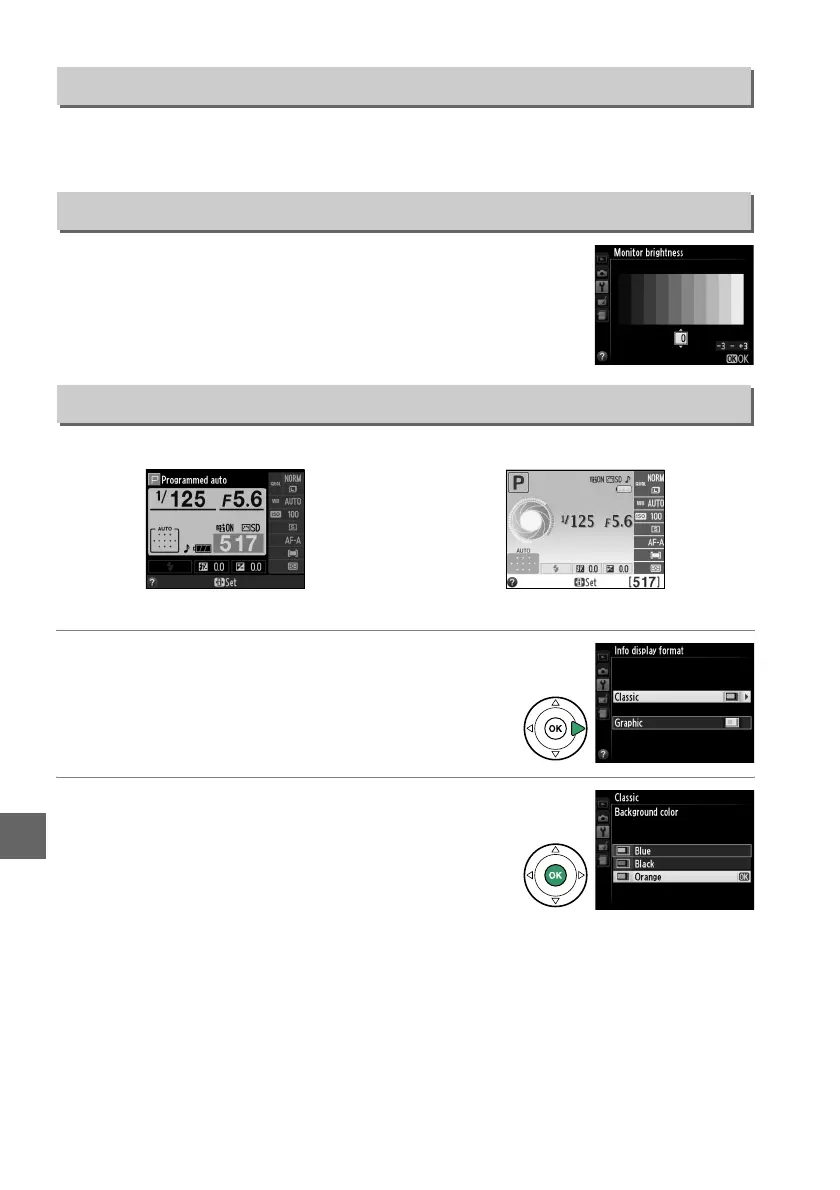
Press 1 or 3 to choose monitor brightness.
Choose higher
values for increased brightness, lower values for reduced
brightness.
Choose from the following two formats for the information display (0 5).
1 Select a format.
Highlight an option and press 2.
2 Select a background color.
Highlight a background color and press J.
Choose from blue, black, or orange (Classic) or
white, black, or brown (Graphic).
Reset Setup Options
G button ➜ B setup menu
Monitor Brightness
G button ➜ B setup menu
Info Display Format
G button ➜ B setup menu
Classic (0 135) Graphic (0 5)



 To Next Page