143
g
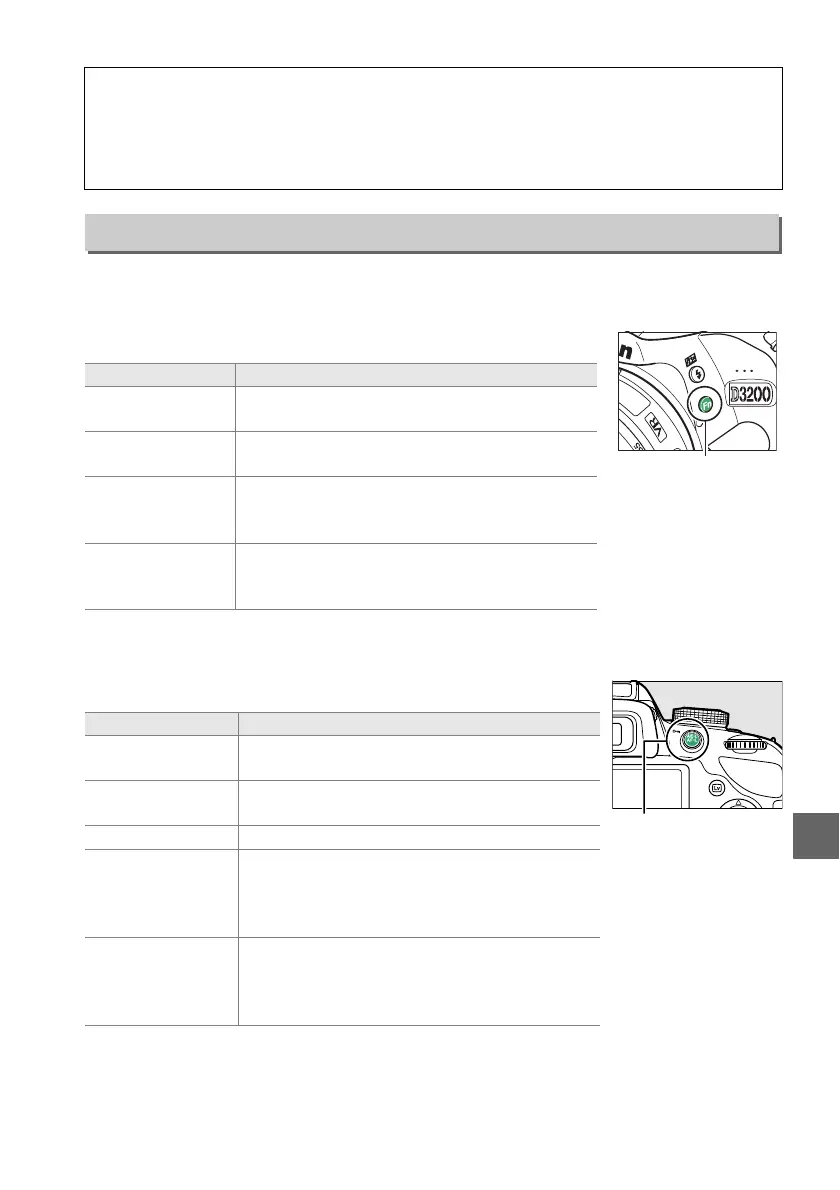
Choose the roles played by the Fn and A (L) buttons.
❚❚ Assign Fn button
Choose the role played by the Fn button (0 8).
* The item currently selected is shown by a white-on-black icon in the information display.
❚❚ Assign AE-L/AF-L button
Choose the role played by the A (L) button.
D File Number Sequence
If the current folder is numbered 999 and contains either 999 photographs or a photograph
numbered 9999, the shutter-release button will be disabled and no further photographs can
be taken.
Choose Reset for File number sequence and then either format the current
memory card or insert a new memory card.
Buttons
G button ➜ B setup menu
Option Description
v
Image
quality/size
*
Press the Fn button and rotate the command
dial to select image quality and size (0 44).
w
ISO
sensitivity
*
Press the Fn button and rotate the command
dial to select ISO sensitivity (0 51).
m
White
balance
*
Press the Fn button and rotate the command
dial to select white balance (P, S, A, and M modes
only; 0 69).
!
Active
D-Lighting
Press the Fn button and rotate the command
dial to select an Active D-Lighting option (P, S, A,
and M modes only; 0 67).
Option Description
B AE/AF lock
Focus and exposure lock while the A (L)
button is pressed.
C AE lock only
Exposure locks while the A (L) button is
pressed.
F AF lock only Focus locks while the A (L) button is pressed.
E
AE lock
(Hold)
Exposure locks when the A (L) button is
pressed, and remains locked until the button is
pressed a second time or the standby timer
expires.
A AF-ON
The A (L) button initiates autofocus.
The
shutter-release button can not be used to focus
except when AF-F is selected in live view or
during movie recording.
Fn button
A (L) button



 To Next Page