6 Introduction
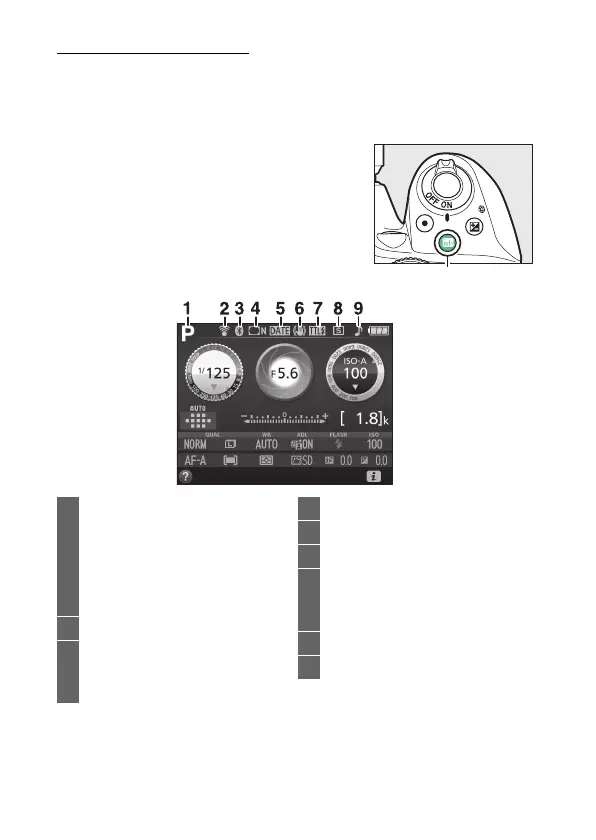
The R (Info) Button
Press the R button to view the information display or cycle
through display options.
❚❚ Viewfinder Photography
To view shutter speed, aperture, the
number of exposures remaining, AF-area
mode, and other shooting information in
the monitor, press the R button.
1 Shooting mode
i auto/
j auto (flash off).....................32
Scene modes ............................48
Special effects mode ..............51
P, S, A, and M modes................98
2 Eye-Fi connection indicator..... 224
3 Bluetooth connection
indicator ................................20, 223
Airplane mode ............................ 222
4 Vignette control indicator ........ 195
5 Date stamp indicator................. 202
6 Vibration reduction indicator.....17
7 Flash control indicator .............. 197
Flash compensation indicator for
optional flash units................... 265
8 Release mode.................................62
9 “Beep” indicator.......................... 213



 To Next Page
 Loading...








