17
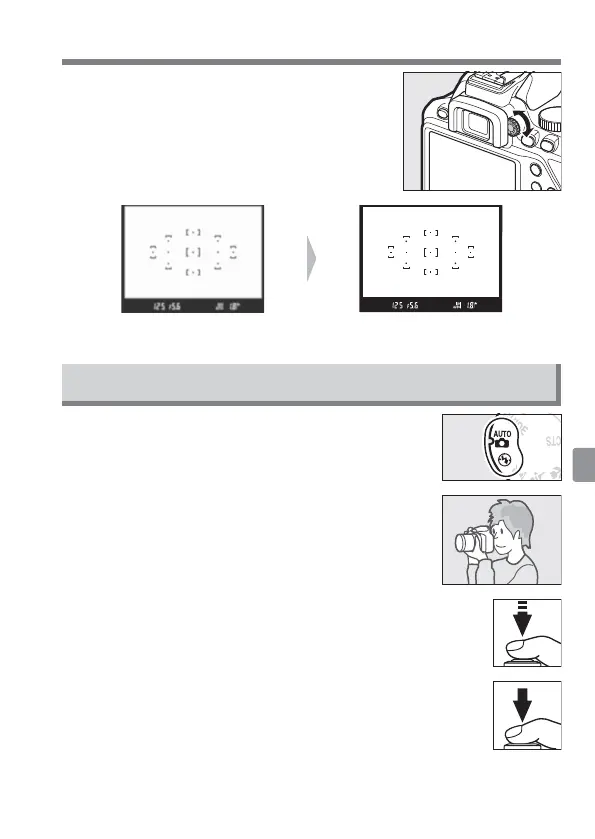
Focus the View nder
After removing the lens cap, rotate the
diopter adjustment control until
the focus
points are in sharp focus. When operating the
control with your eye to the view nder, be
careful not to put your ngers or ngernails
in your eye.
View nder not in focus View nder in focus
“Point-and-Shoot” Modes (i and j)
1
Rotate the mode dial to i or j.
2
Frame the photograph.
3
Press the shutter-release button halfway to focus.
4
Smoothly press the shutter-release button the rest
of the way down to take the photograph.



 To Next Page