20
Camera Menus
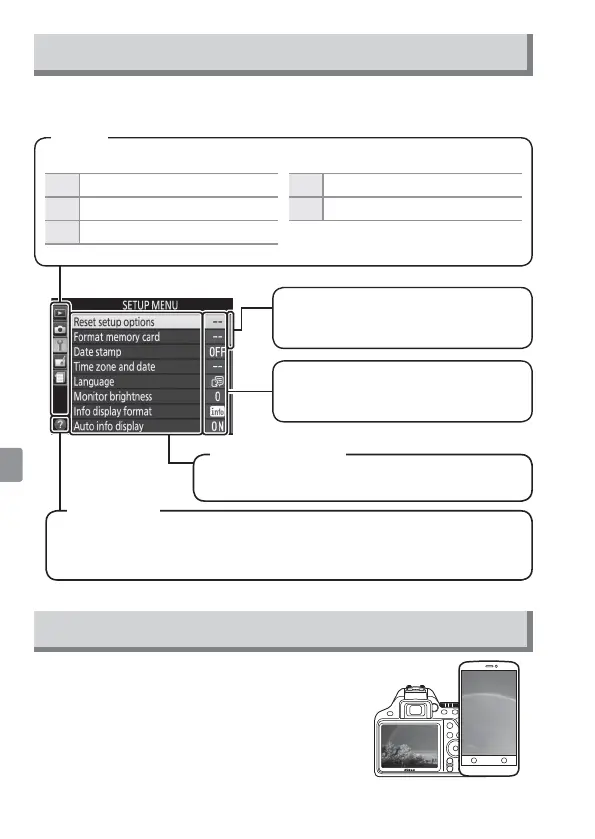
Most shooting, playback, and setup options can be accessed from the
camera menus. To view the menus, press the G button.
Choose from the following menus:
D
Playback
N
Retouch
C
Shooting
m
Recent Setting
s
B
Setup
Tabs
Options in current menu.
If the help icon is displayed, you can press the W(Q) button to
view help for the currently selected item.
Menu options
Help icon
Current settings are shown by
icons.
Slider shows position in current
menu.
Connecting to Smart Devices with SnapBridge
Instal the SnapBridge app to your smart
device to download pictures from the camera
or control the camera remotely. For more
information, see the online camera manual.



 To Next Page