6
Recording Movies
1
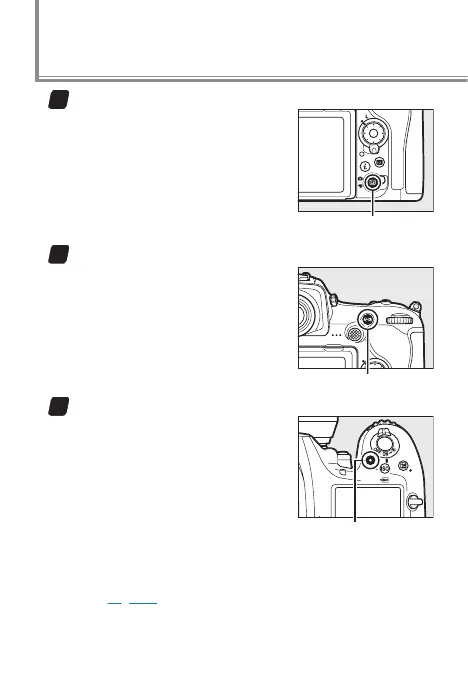
Start movie live view.
Rotate the live view selector to
1 and press the a button.
a button
2
Focus.
Frame the opening shot and
press the AF-ON button or press
the shutter-release button half-
way to focus.
AF-ON button
3
Start recording.
Press the movie-record but-
ton to start recording (audio is
also recorded; be careful not to
cover the built-in microphone).
A recording indicator and the
time available are displayed in
the monitor. The camera can be
refocused by pressing the AF-ON button, and exposure
can be locked by pressing the center of the sub-selec-
tor (page 19) or altered by up to ±3EV using exposure
compensation.
Movie-record button



 To Next Page
 Loading...











