Focusing in Live
View
Follow the steps
below
to
choose focus and AF-area modes and position the focus
point.
II
Choosing
Q
Focus
Mode
The following focus modes are available in live view:
Option
I
Description
AF-S
Single-servo I
For
stationary subjects.
Focus
locks when shutter-release button
is
AF
!pressed halfway.
AF-F
Full-time- I
For
moving
subje·-ct-s"""".
C=-a-m-e-ra-f:;-o-cu-s-e-s-co-n-t:-in-uously
during live view
and
servo
AF
movie recording.
-MF
M I f
Focus
manually.
For
information
on-
manual focus,
see
the
Reference-
anua ocus M I (
CD)
anua on .
.
__
~~
J..
• _
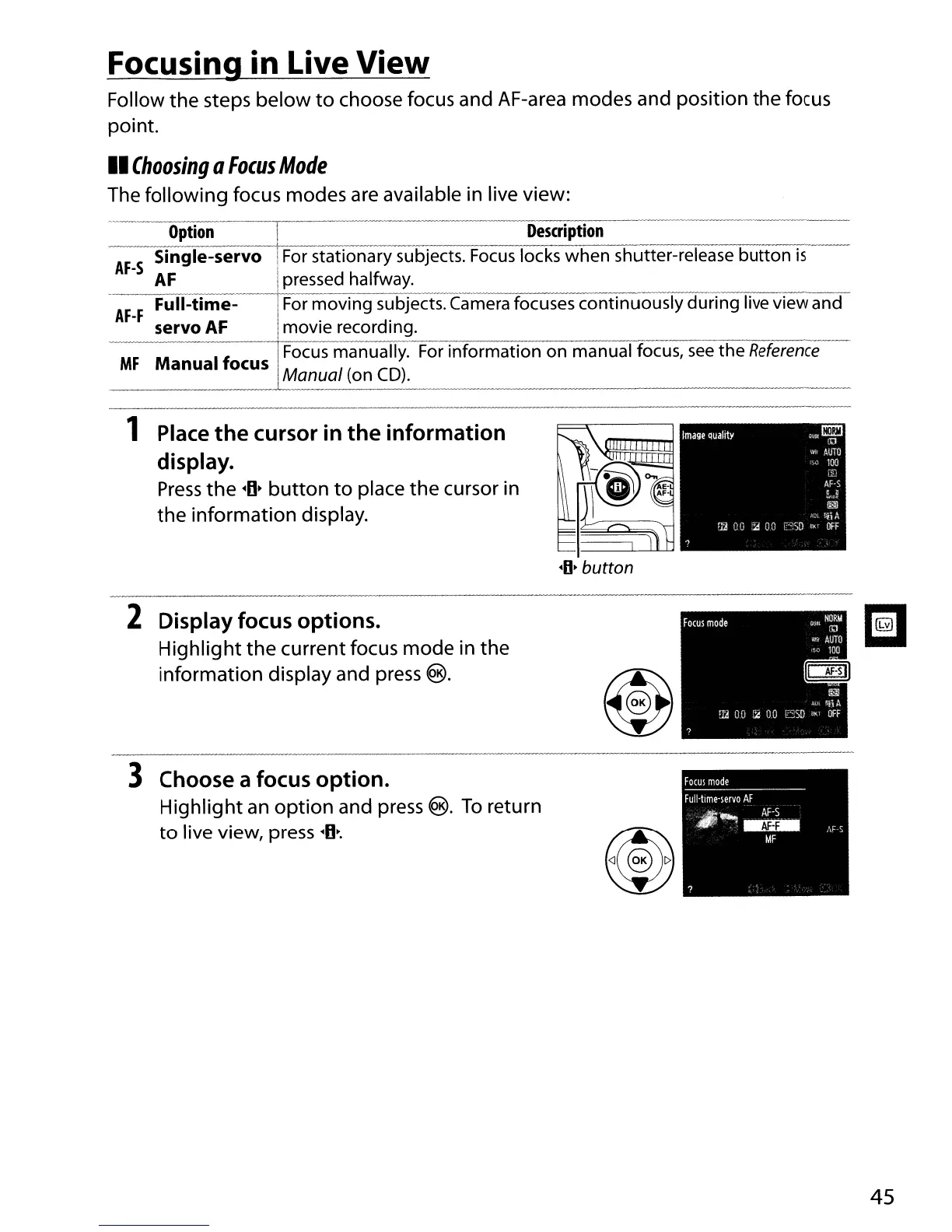
1 Place
the
cursor in
the
information
display.
Press
the
·D~
button
to
place the cursor in
the
information display.
·D~
button
2 Display focus options.
Highlight
the
current focus mode in the
information display and press
®.
3 Choose a focus option.
Highlight
an
option
and press @.
To
return
to
live view, press
·D~.
45



 To Next Page