EasyManua.ls Logo

Nikon D5100 - Page 71

Nikon D5100
365 pages
Print Icon
To Next Page IconTo Next Page
To Previous Page IconTo Previous Page
Loading...
Using ViewNX 2
Step
l-Co~
Pictures
to
the
Computer
1 Choose
how
pictures
will
be copied
to
the
computer.
Choose one
of
the
following methods:
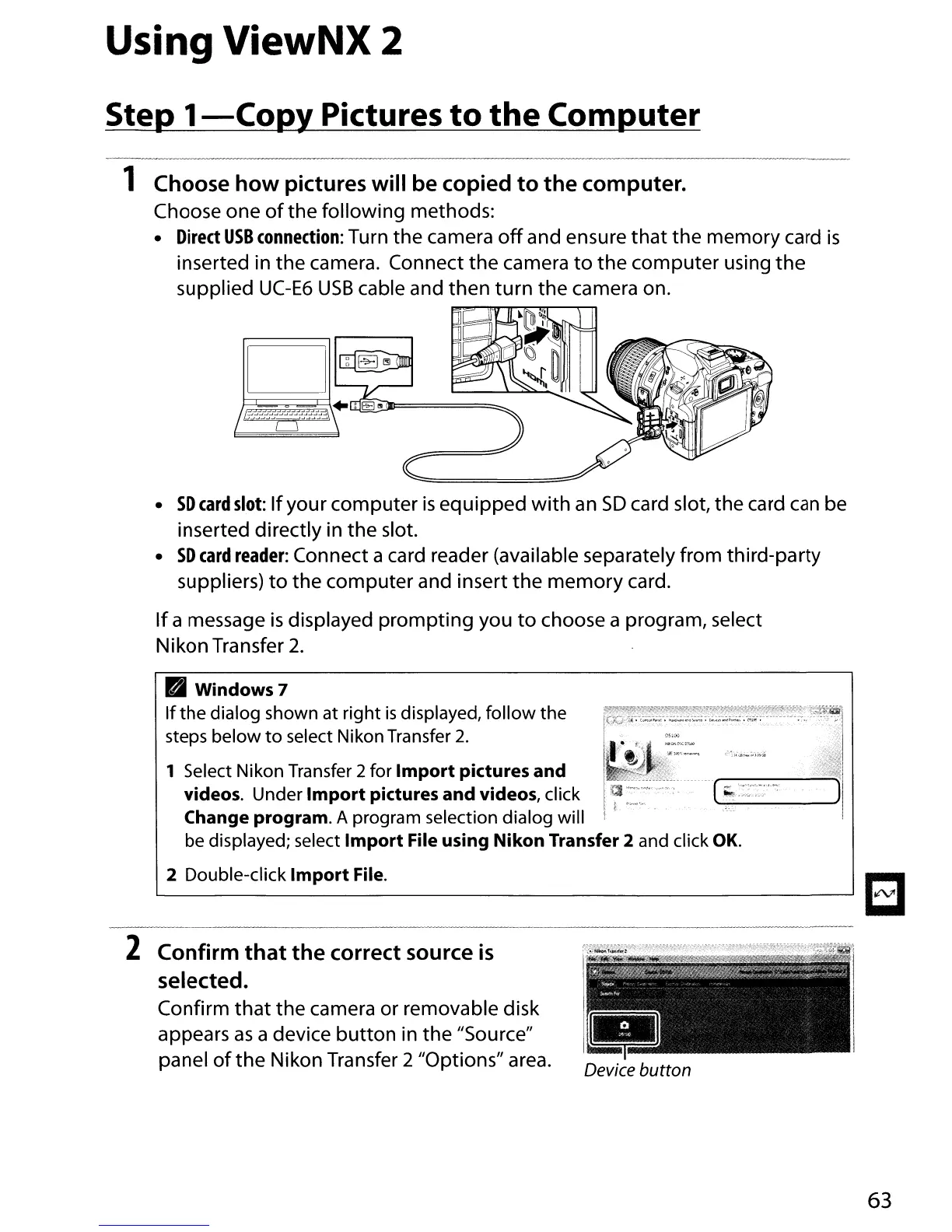
Direct
USB
connection:
Turn the camera
off
and ensure
that
the memory
card
is
inserted in
the
camera. Connect
the
camera
to
the
computer using
the
supplied
UC-E6
USB
cable and
then
turn
the
camera on.
SD
card
slot:
If
your computer
is
equipped
with
an
SD
card slot, the card
can
be
inserted directly in
the
slot.
SD
card
reader:
Connect a card reader (available separately from third-party
suppliers)
to
the computer and insert
the
memory
card.
If
a message
is
displayed
prompting
you
to
choose a program, select
Nikon Transfer 2.
Windows 7
If
the
dialog shown at right
is
displayed,
follow
the
steps below
to
select Nikon Transfer
2.
1 Select Nikon Transfer 2for
Import
pictures
and
videos. Under
Import
pictures
and
videos, click
Change program. A program selection dialog will
be displayed; select
Import
File using
Nikon
Transfer 2 and click
OK.
2 Double-click
Import
File.
~
l-----
-------'~
----~~----------~-
2 Confirm
that
the
correct source
is
selected.
Confirm
that
the
camera or removable disk
appears
as
a device
button
in the "Source"
panel
of
the
Nikon Transfer 2 "Options" area.
63

Table of Contents

Other manuals for Nikon D5100

Related product manuals