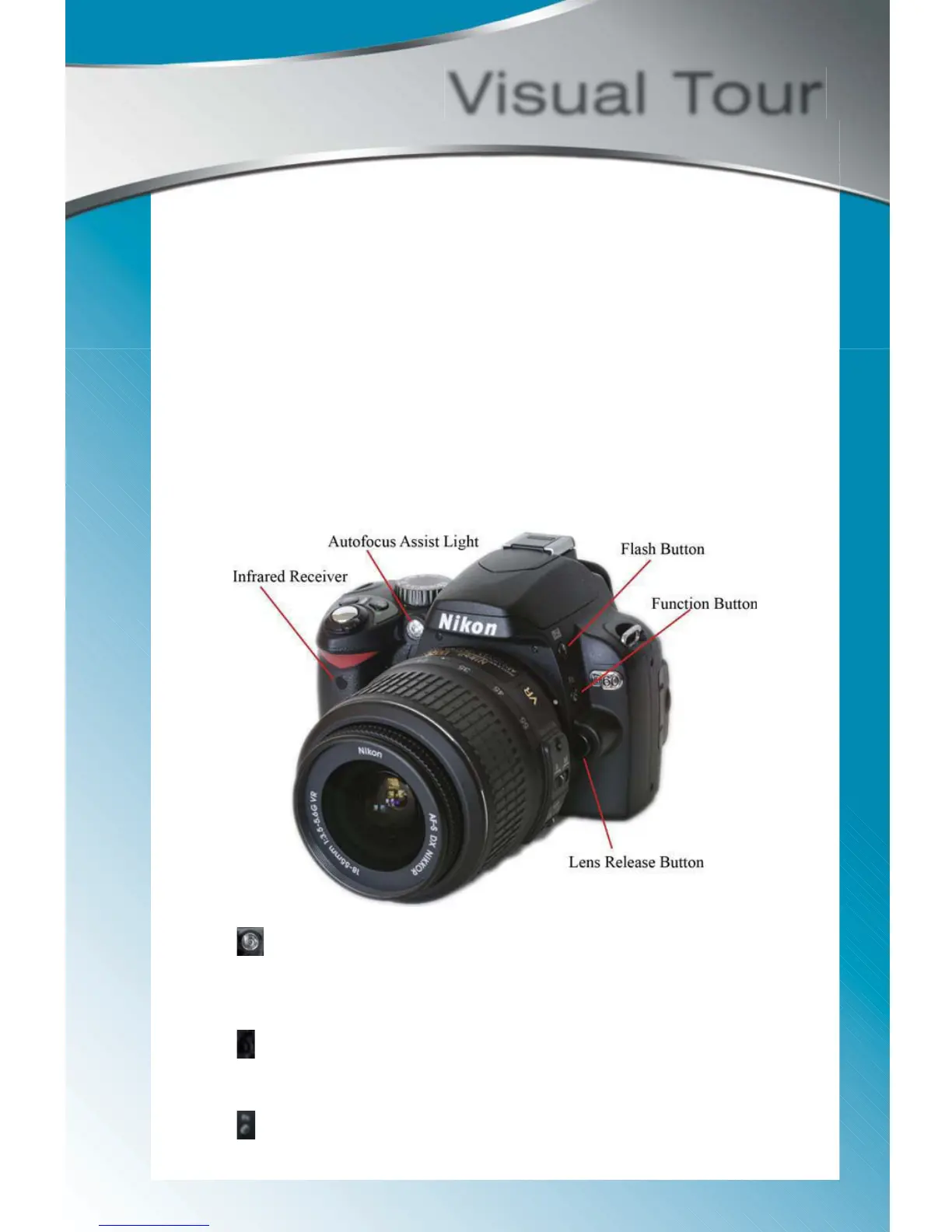
In this section we’ll look at all the buttons, dials, and other features on the D60. This
overview will help you become familiar with the layout of the camera. I’ve also included
a brief description of each feature. As you read the rest of the guide use these pages
as a reference to find a button or as a reminder as to what it does.
FRONT OF THE CAMERA
Visual Tour
Autofocus Assist Light: Even though the name refers to autofocus-
ing, this light is actually used for a few functions: (1) lighting up subjects
to help the lens focus, (2) indicating the self-timer is active, and (3) light-
ing up before the flash fires to reduce red-eye.
Lens Release button: Use this button when you want to remove or
changes the lens. Press the button and hold the camera in one hand.
With your free hand, turn the lens to the left to detach it.
Function button: Used as a shortcut button to access certain features.



 To Next Page