3
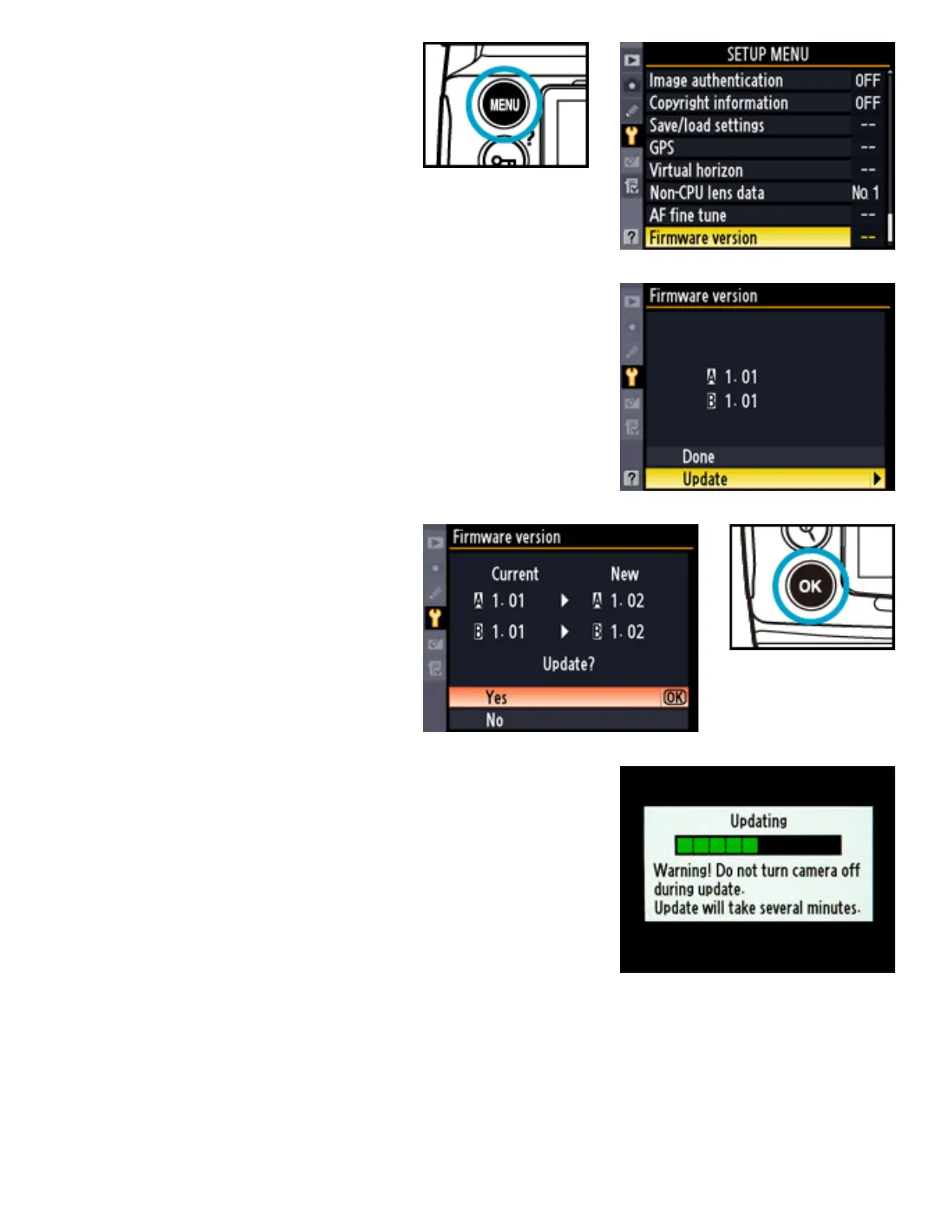
Press the MENU
button and select
Firmware version
in the setup menu.
4
The current firmware version will be
displayed. Highlight Update and press the
multi selector to the right.
5
A firmware update
dialog will be
displayed. Highlight
Yes and press OK
to begin the update.
6
The update may take anywhere from two to
five minutes. Do not perform any operations
while the messages shown at right are
displayed.



 To Next Page